Resident rides, asked for from the floor.
Nurses and caregivers request a resident’s appointment ride from the Syntrah app. It lands in one queue in the console, where your transportation department arranges it, and where it stands shows back in the app.
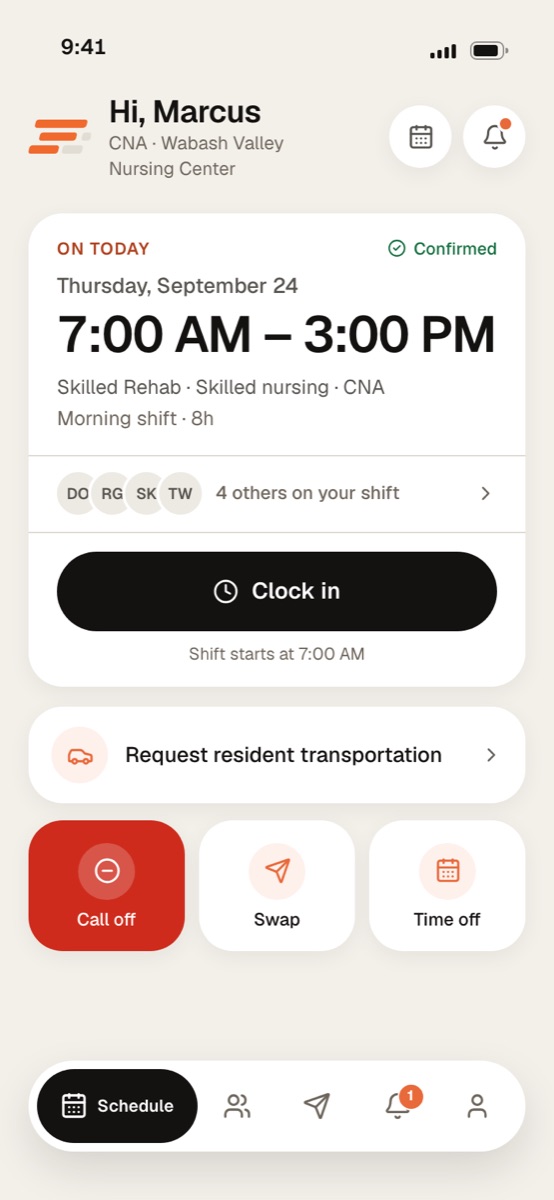
Screens show a sample facility with fictional data.
From the request on the floor to the driver’s signature.
One appointment ride, followed from the phone of the person who asked to the department that arranges it, and back.
In the mobile appIn the console
-
In the mobile app · the nurse or caregiver
Asked for from the floor.
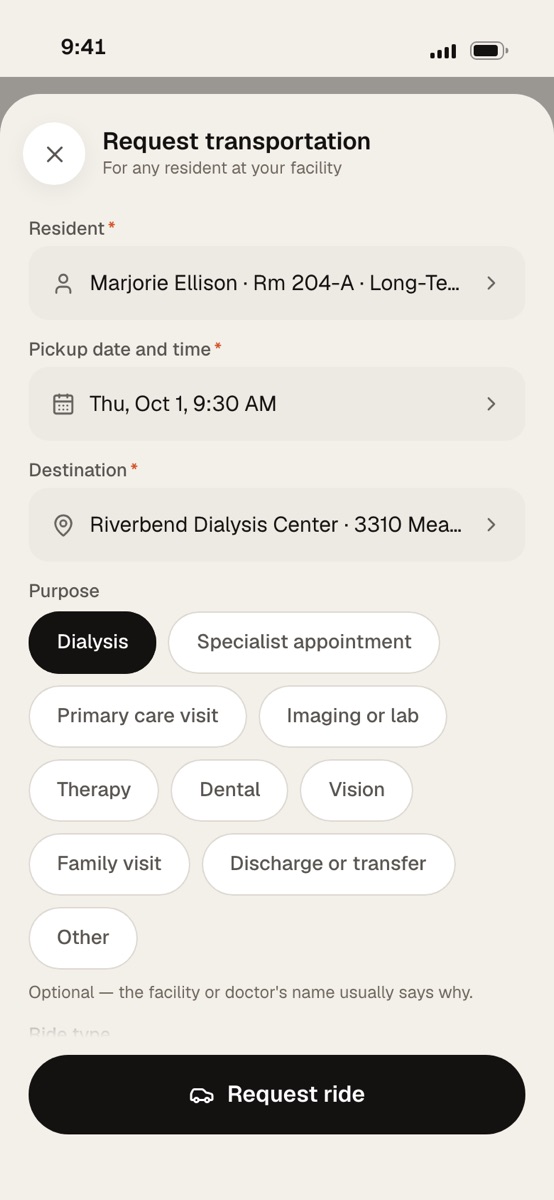
They choose the resident, the pickup date and time, and where the resident is going: the practice or clinician, the street address with its door and suite, and a number the driver can ring if nobody is expecting them. Purpose is optional; the practice’s name usually says why.
-
In the mobile app · the resident’s needs
Four questions, never answered in advance.
Can the resident be left unattended? Will family be present? Are staff required to attend, and why? Is the resident on oxygen, and at what flow? Neither Yes nor No is chosen until somebody chooses, so a question nobody answered can’t pass for a no. Ride type is wheelchair or stretcher, left blank if the resident walks.
Can the resident be left unattended?
YesNoWill family be present?
YesNoAre staff required to attend?
YesNoIs the resident on oxygen?
YesNo -
In the console · the transportation department
One queue, a day at a time.
The request lands in Transportation as Requested, and the facility’s administrators are told. Every trip is listed by pickup, with who is travelling, where and its status, filtered by status and pickup dates, or searched by destination or purpose. The same trips read as a day, week or month calendar.
Thursday, October 1
-
7:45 AM
Marjorie Ellison Rm 204-A
Riverbend Dialysis Center
Facility vehicleDriver confirmed
-
9:30 AM
Walter Brooks Rm 112
Eastgate Imaging
Outside transportDriver assigned
-
11:15 AM
Evelyn Park Rm 318-B
Maple Street Dental
No driver recordedNeeds driver
-
1:40 PM
Harold Nguyen Rm 226
Lakeside Cardiology
Facility vehicleCompleted
-
7:45 AM
-
In the console · who is driving
Arranged, written down, and printed.
The department acknowledges the trip and chooses who is driving: a facility vehicle and driver, or outside transport. They record that the appointment was confirmed with the office, when, and who they spoke to, and mark the driver confirmed once the driver has said yes. The days they choose print as a dispatch manifest and a trip sheet per ride, with space for the driver to sign.
Transportation request All times are facility time.
- Pickup
- Thu, Oct 1 · 7:45 AM
- Resident
- Marjorie Ellison
- Room/bed
- 204-A
- Location
- Riverbend Dialysis Center
- Entrance
- Door 4
- Purpose
- Dialysis
- Travels by
- Wheelchair
- Driver
- Facility vehicle
To be completed by the driver
Left facilityReturnedDriver signature -
In the mobile app · the requester
Where it stands, in their pocket.
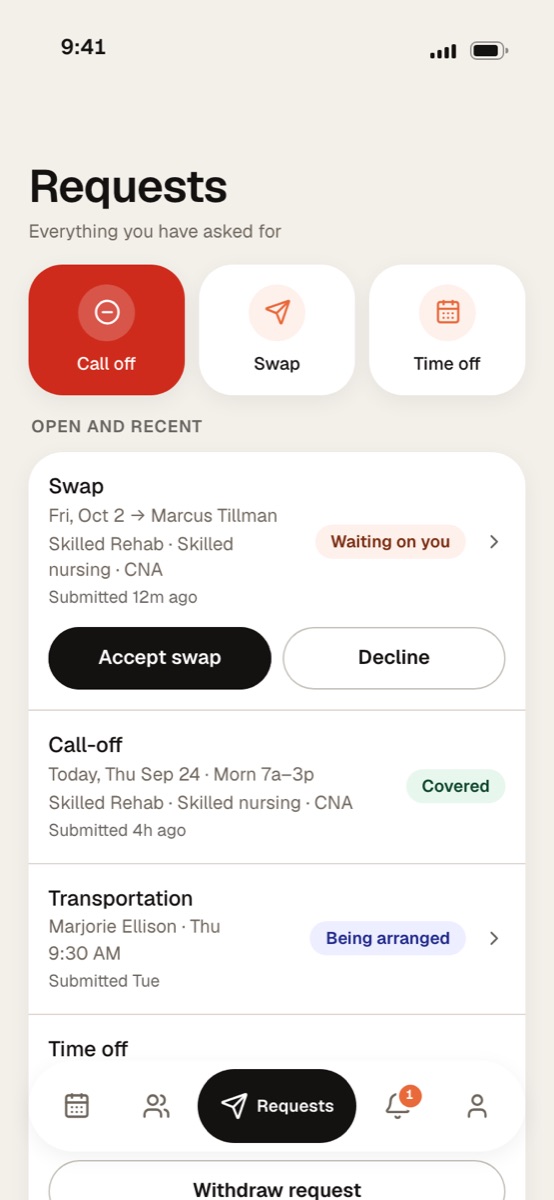
The person who asked follows the ride in Requests: Awaiting the department, then Being arranged, then Completed or Cancelled.
Drawings of the calendar and the trip sheet use the product’s own labels, with sample trips.
Everything the driver needs, asked once, by the person who knows.
How the resident travels is asked at the bedside, where somebody knows it, rather than left for the department to chase.
- The resident, found by name or room
- One pickup date and time
- The practice or clinician, and the street address
- The door and suite, when the driver needs them
- A contact number the driver rings if nobody is expecting them
- Ride type: wheelchair or stretcher
- Whether the resident can be left unattended, and whether family will be present
- Whether staff must attend, and why
- Whether the resident is on oxygen, and the flow
- Who is driving: a facility vehicle or outside transport
- Anything else the driver should know
And the purpose, when it helps
DialysisSpecialist appointmentPrimary care visitImaging or labTherapyDentalVisionFamily visitDischarge or transferOther
A resident can’t be booked on two open trips that clash.
Asked for on the floor, arranged by the department.
-
Nurses & caregivers
Ask for the ride, from the app.
- Request a ride for a resident at a facility they’re working.
- Answer the needs questions they know best.
- Follow the ride in Requests.
-
The transportation department
Works every trip from one queue.
- The queue as a list, or a day, week or month calendar.
- Who is driving, the office confirmation and the driver’s confirmation, on the trip.
- A dispatch manifest and trip sheets, printed for the days they choose.
- Printed trips marked complete together once the day is done.
-
Administrators
Told when a ride is requested.
- Notified when a ride is requested at their facility.
- The whole facility’s queue in the console.
- Every status change recorded, with who made it and when.
-
Staff on the move
Manage mode, in the same app.
- Raise a trip from the phone.
- Open a trip, and correct it.
Does Syntrah book the ride with an outside transport company?
No. Nothing is sent to a transport company. Your department arranges the ride as it does today, and records in Syntrah who is driving and when the driver confirmed.
Who can request a ride?
Caregivers can request one from the app for residents at a facility they’re working. Charge nurses, directors of nursing and administrators can request rides too.
How does the person who asked know where it stands?
In Requests in the app. A ride reads Awaiting the department until the department picks it up, then Being arranged, then Completed or Cancelled.
Can a trip be cancelled?
Yes. The resident won’t be collected, and the transportation department can uncancel the trip if it’s back on.
Does it bill trips or track mileage?
No. Resident transportation arranges and records your residents’ rides. There is no billing, cost or mileage in it.
Your facility deserves better than 5am panic.
Let’s walk through a call-off together, start to finish.
No pressure. No commitment. Just a conversation about your building.