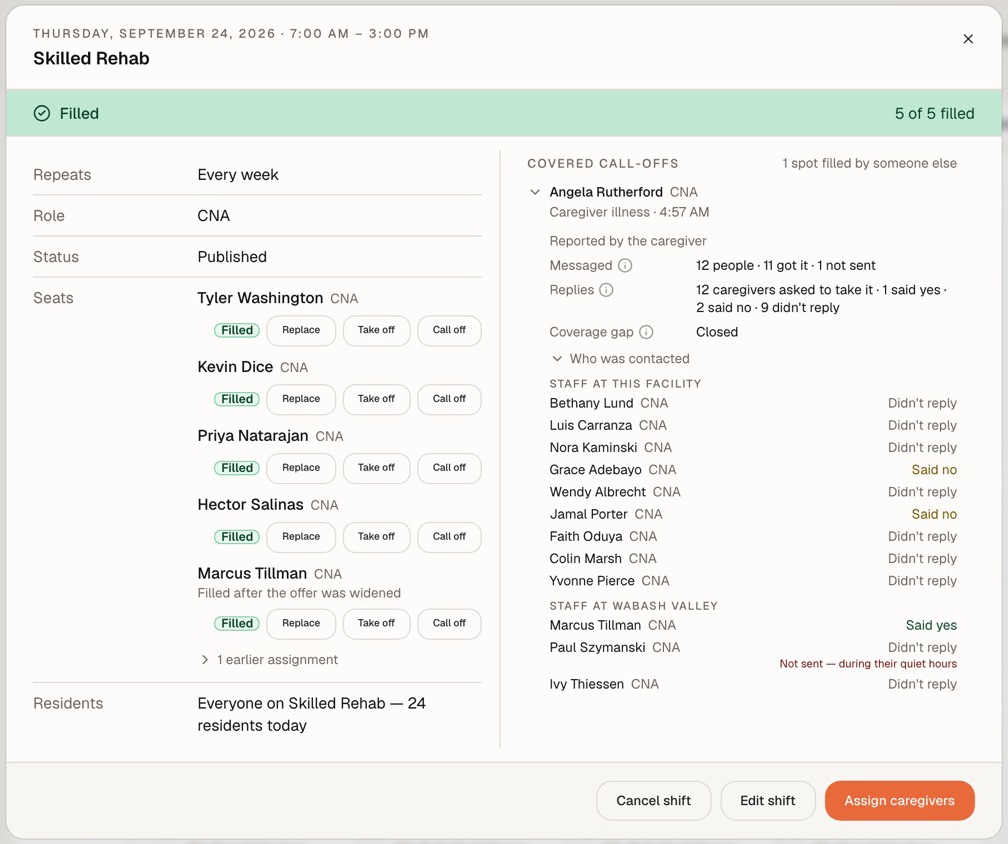
The call-off trail
Who was asked, in what order, and who said yes.
Open any covered call-off and its trail is there: everyone messaged, who said no, who didn’t reply, which building was asked next, and who took the seat.
When someone calls off, Syntrah offers the shift to your own staff first, then your other buildings. If nobody takes it, it is declared uncovered and escalated to a scheduler - never left to expire.
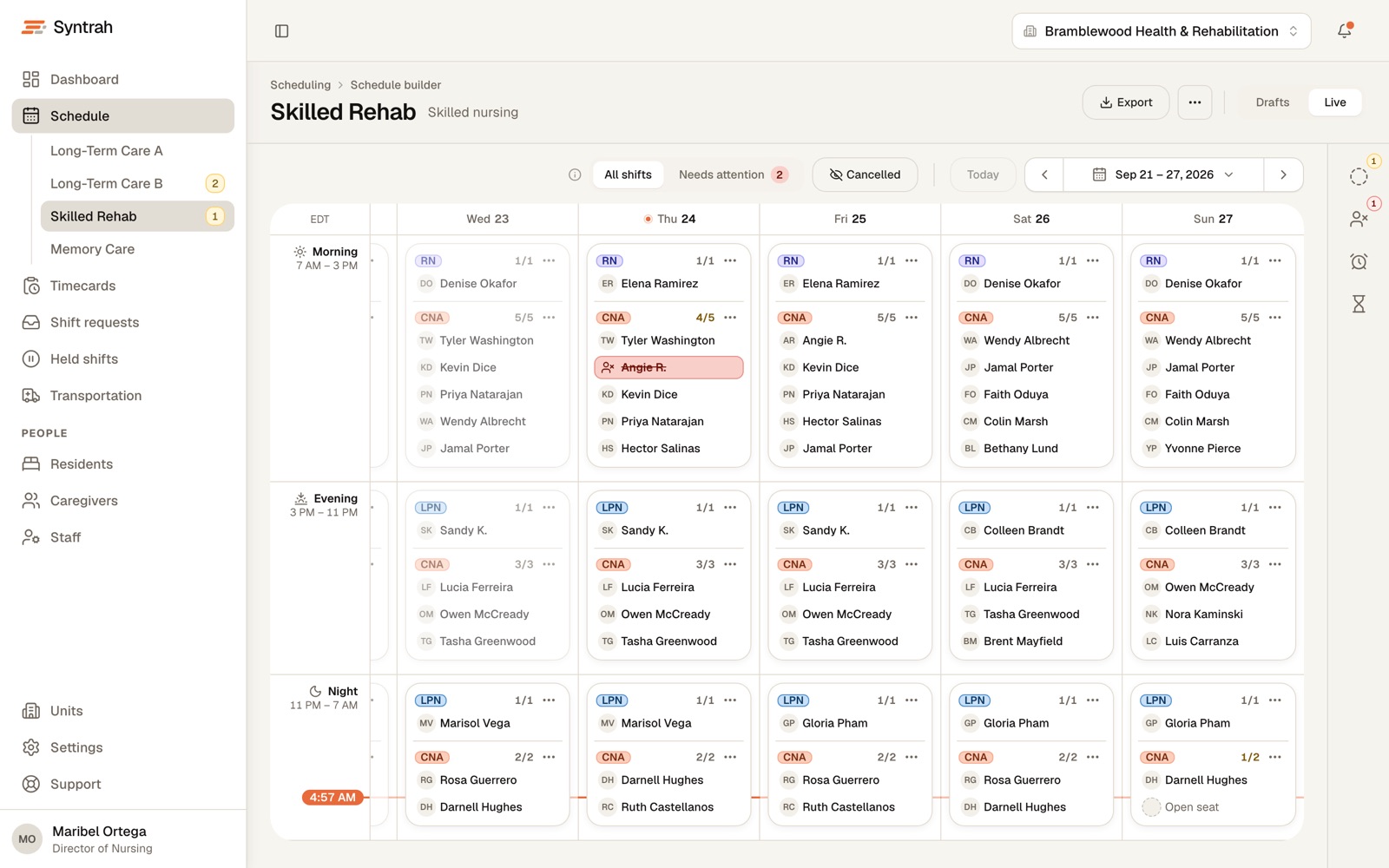
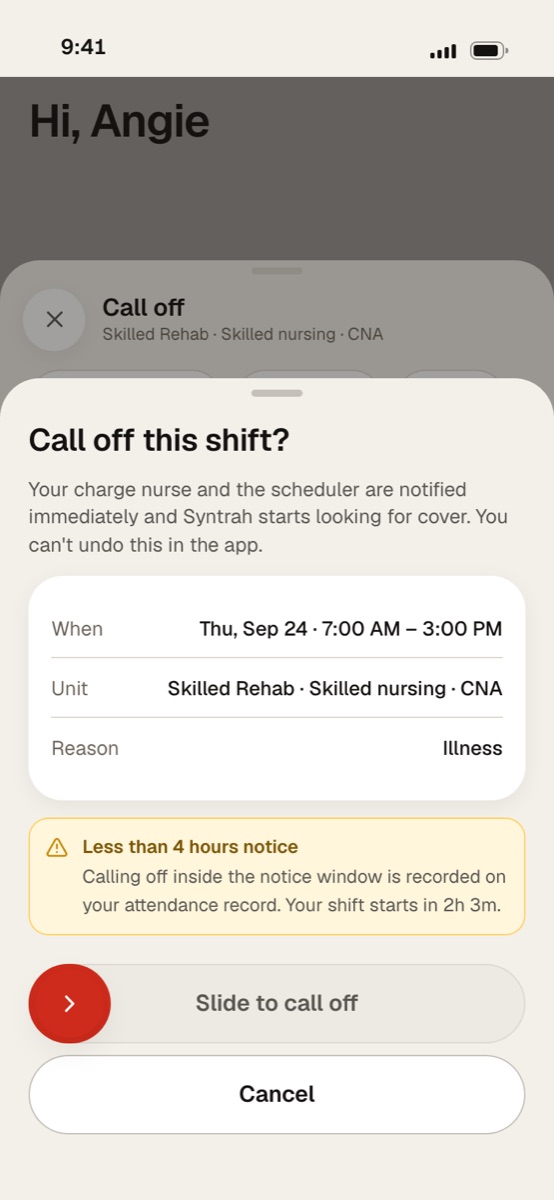
Angie’s phone
Screens show a sample facility with fictional data.
An administrator and a DON answer for every call-off twice: once to get the seat filled, and again when somebody asks how it was handled.
04:57
What you carryBy the time it reaches you, calls have gone out from somebody’s own phone, and nobody wrote down who was asked.
05:40
What you carryA nurse floats, an aide doubles up, and the staffing you planned for the day comes apart before the day begins.
06:55
What you carryWhen a surveyor, a family or your regional office asks what happened, the answer is scattered across people’s phones.
Every call-off climbs the same ladder, in your order. How long each rung waits is your own coverage policy.
If nobody says yes, the shift is declared uncovered and escalated to a scheduler - never left to expire.
Follow one call-off, step by stepPart-time and as-needed staff with room left this week
Offered first.
Everyone eligible at the facility
Full-timers are reached here, one rung later, not skipped.
Your other facilities, in the order you set
An offer at another building says so before anyone accepts.
Declared uncovered and escalated to a scheduler
A person takes it from here.
Every unit runs as a live week: each day’s Morning, Evening and Night shift, with every role working it, nurses first.
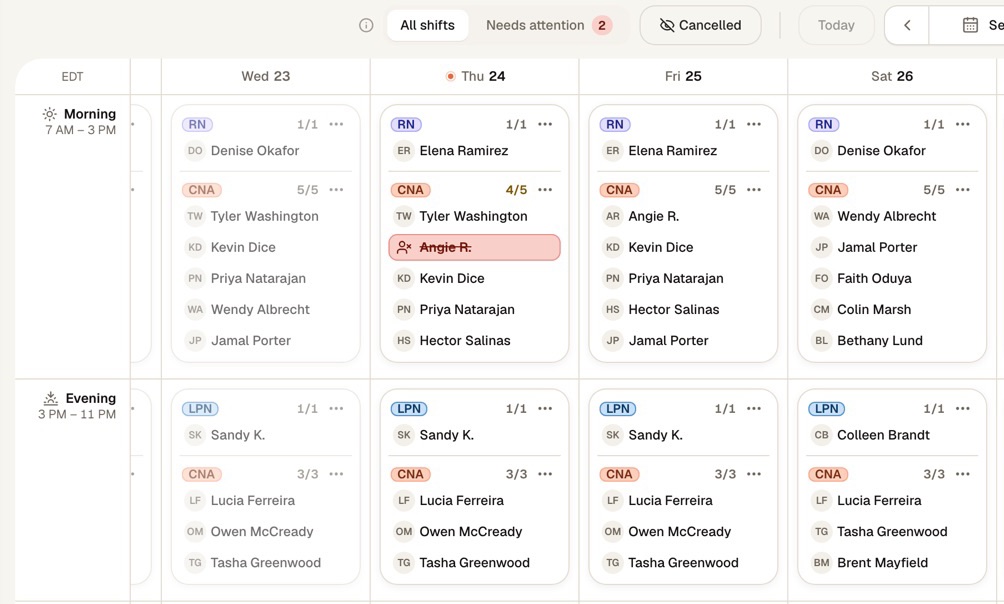
Three shifts a day
Morning, Evening and Night rows across the week, one board for each unit.
Every role, nurses first
Each shift lists the roles working it, with how many it needs and how many are on.
Seats say where they stand
Working, called off, cover found, open or on hold, written on the seat, not left to color.
The unit’s own tools
Open shifts, call-offs and uncovered seats, late arrivals and overtime, counted for the unit.
Syntrah keeps the facts as they happen, so the account of a morning is written down before anyone asks for it.
The call-off trail
Open any covered call-off and its trail is there: everyone messaged, who said no, who didn’t reply, which building was asked next, and who took the seat.
Timecards
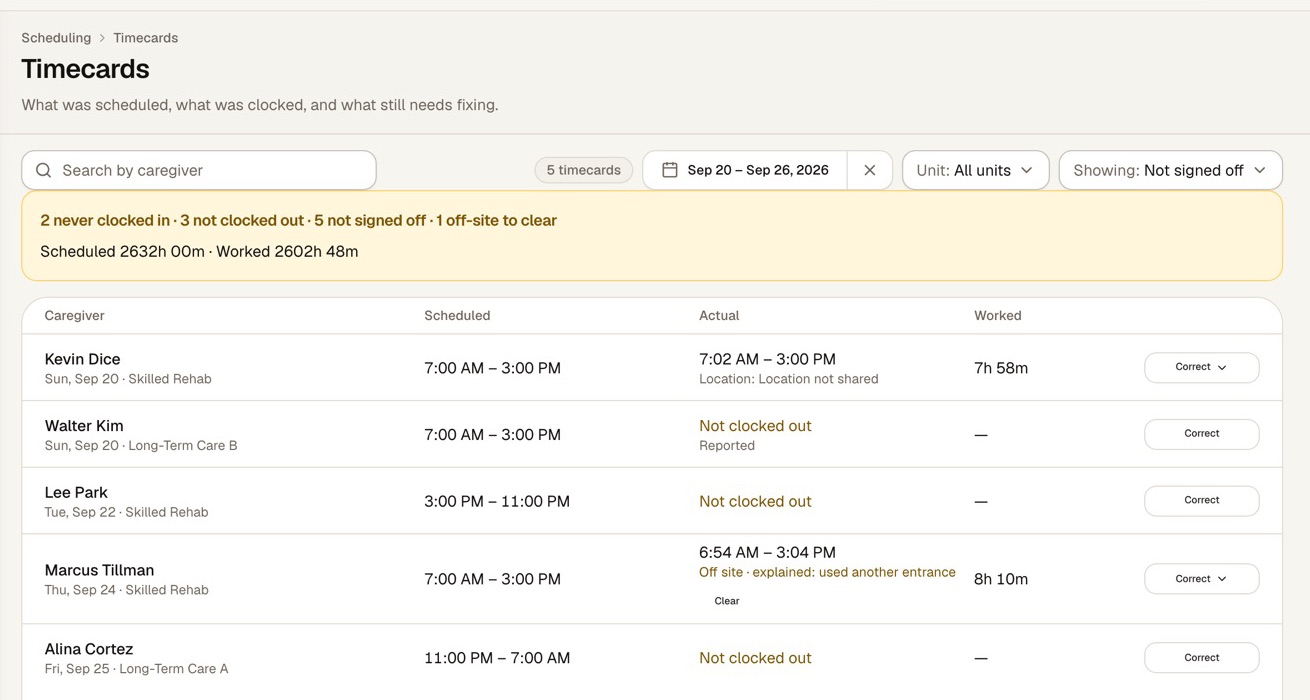
A punch made outside the building’s boundary is recorded where it was made. Under Attest, its hours can’t be signed off until the caregiver has explained it and a supervisor has cleared it.
Every schedule change, override and clearance is recorded with who made it and when.
Terminate a caregiver, or make them inactive, and their upcoming shifts are placed on hold, not reopened. Each one waits in Held shifts until somebody decides.
The shift is offered to eligible caregivers straight away, and the escalation ladder starts. A coordinator can instead assign one caregiver - checked for eligibility and overlap - or cancel the held seat.
Shifts they have already worked, their time entries and the audit trail are left untouched.
Administrator & DON
Scheduler
Charge nurse
Caregiver
Fill in Syntrah’s onboarding template with your staff, caregivers and residents, and upload it. Every row is checked first, and only the rows that are ready are imported.
Build each unit’s rotation as drafts - nothing is generated or sent until you publish. Then each caregiver gets one message covering their shifts, and any place with nobody named posts as an open shift.
Send invites straight from the import, or one at a time. Each caregiver gets an email to set up their sign-in on the Syntrah app.
Yes, in the order you set. A call-off goes first to part-time and as-needed staff with room left this week, then to everyone eligible at the facility, then to your other facilities, in the order you set. If nobody accepts, the shift is declared uncovered and escalated to a scheduler.
No. The same checks run on every path to a seat - an offer, a swap, or a scheduler assigning someone by hand - including the role, an active license, sign-off for the unit, minimum rest between shifts and the exclusion lists.
Syntrah shows licensed-nurse hours per resident day against your facility’s target: licensed-nurse hours with Director of Nursing hours excluded, over total resident-days for the window. It is a scheduling view, not a compliance determination.
No. Timecards compare what was scheduled with what was clocked and show what still needs fixing. Pay stays with your payroll system.
By invitation. Your facility sends each caregiver an email to set up their sign-in on the Syntrah app.
Each organization’s data is kept in its own database schema. Access is role-based and denied by default, data is encrypted in transit and at rest, handling is HIPAA-aligned, and every change is recorded in an audit trail.
Let’s walk through a call-off together, start to finish.
No pressure. No commitment. Just a conversation about your building.