Pick up
The shift comes to you.
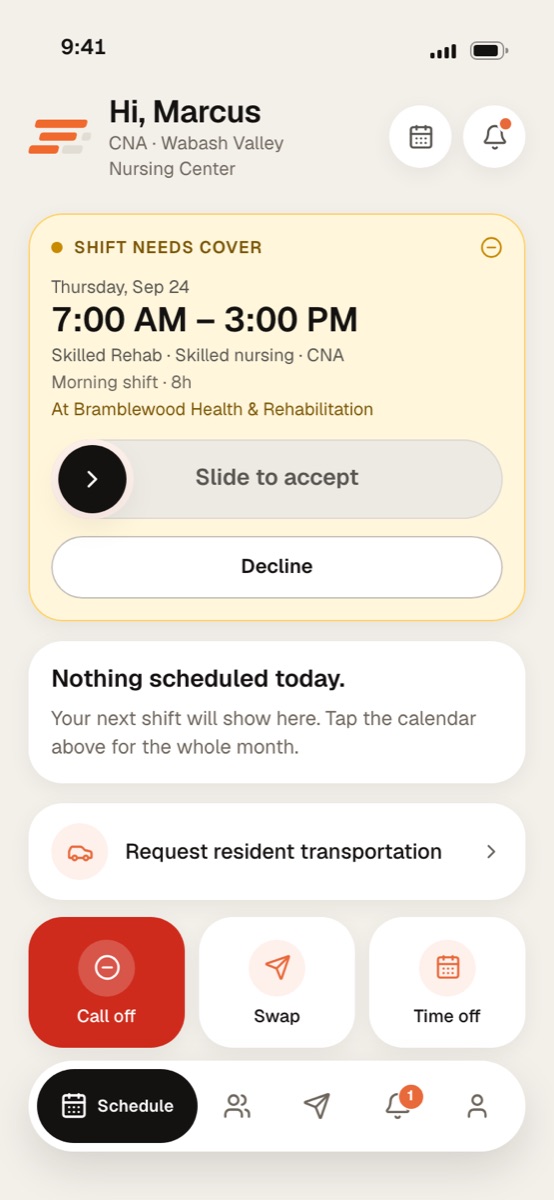
When a shift needs cover and you match it, the offer lands on your home screen. Slide, and it’s on your schedule.
One app for the people on the floor and the people who run it. Caregivers pick up shifts, call off, swap and clock in; charge nurses, schedulers and administrators run the unit from the same app.
Screens show a sample facility with fictional data.
Pick up
When a shift needs cover and you match it, the offer lands on your home screen. Slide, and it’s on your schedule.
Today
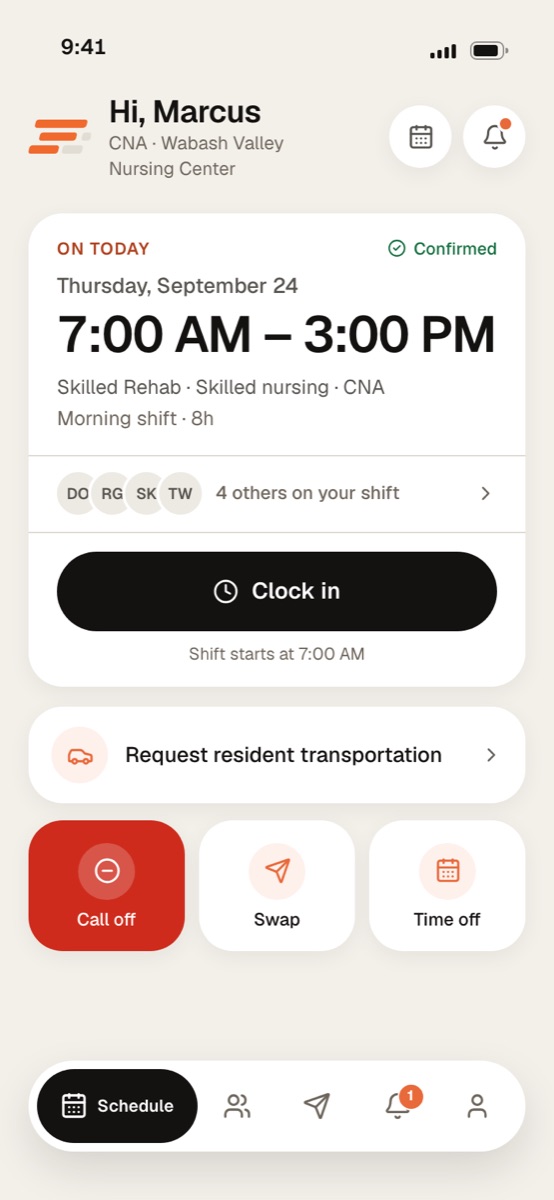
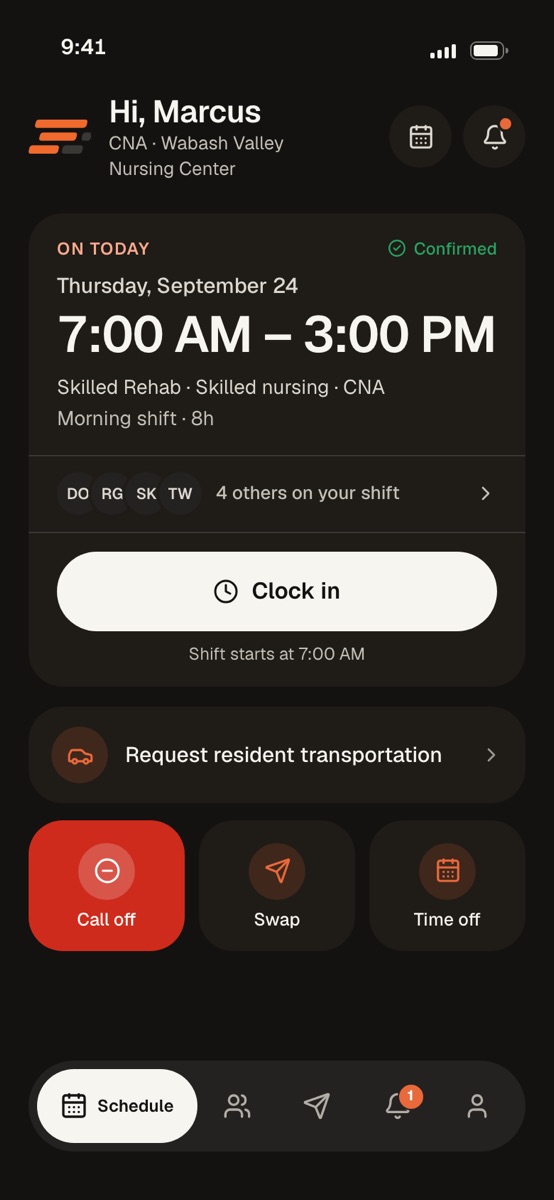
Your shift, who’s on with you, and a clock-in button that tells you when it opens.
Call off
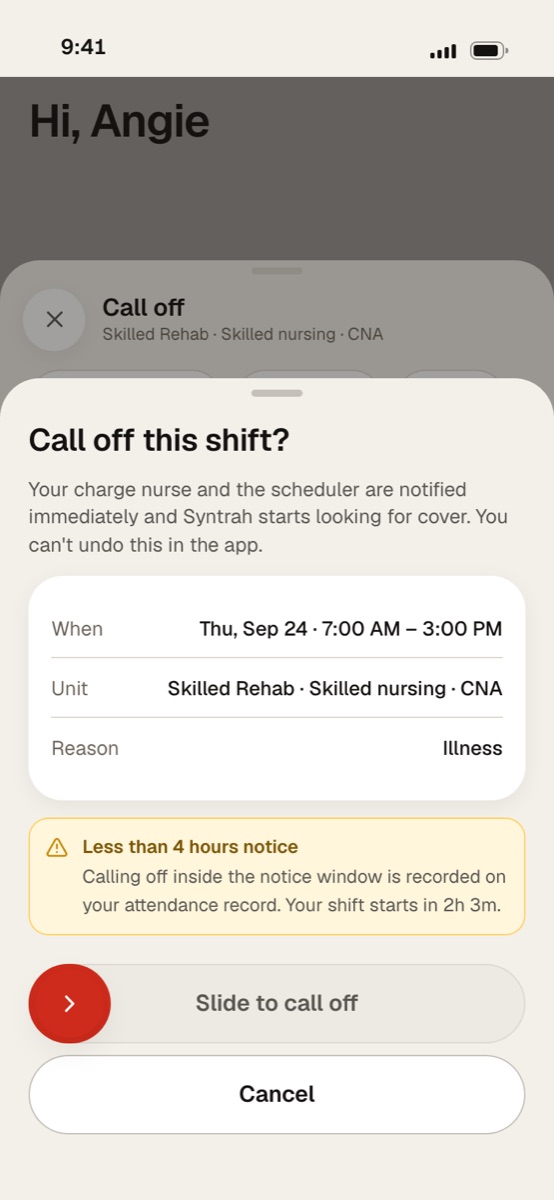
Pick a reason and finish the red slide. Your scheduler hears at once, and Syntrah starts looking for cover. You don’t have to find your own replacement.
Swap
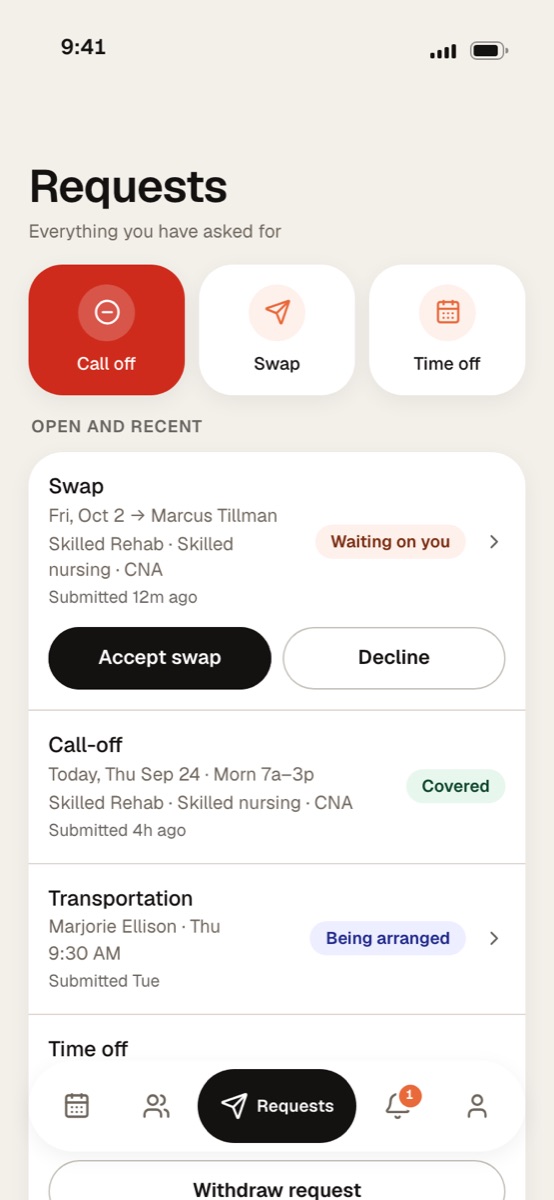
A swap waits until the other caregiver accepts, and eligibility is checked again for both. Then your manager decides; if they approve it, the two shifts change hands.
Calling off, picking up, swapping, asking for time off and requesting a ride all end the same way: a slide you finish with your thumb.
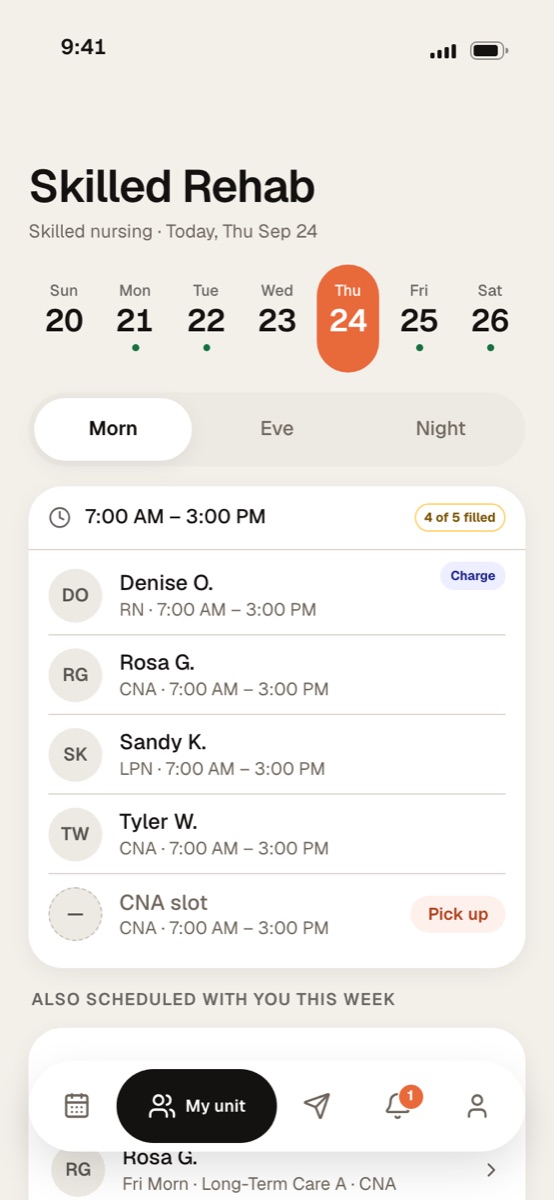
Who’s on each band, who’s in charge, and any open slot you can pick up.
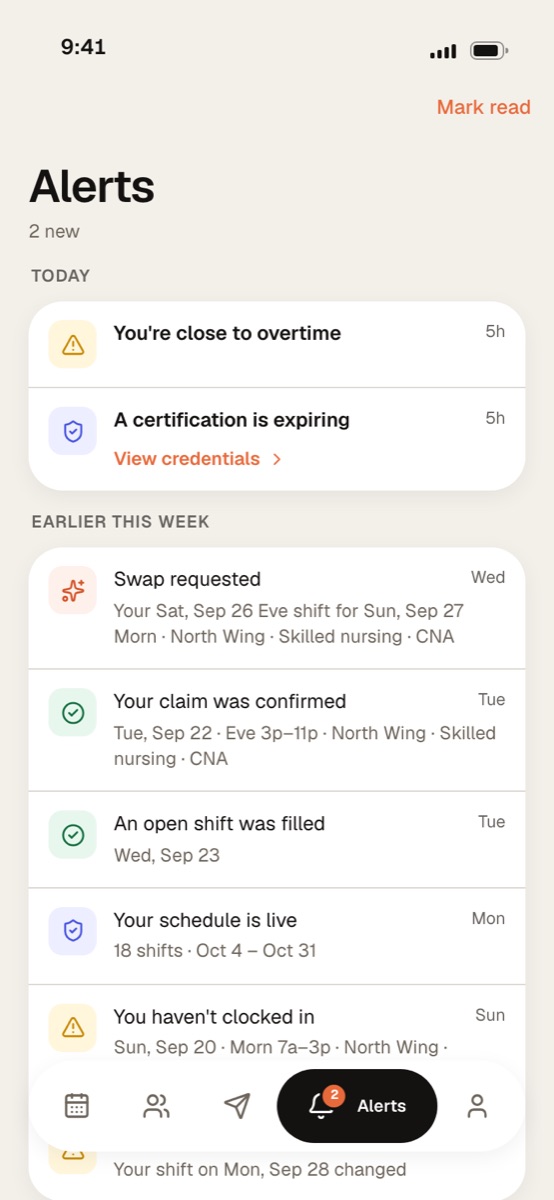
An offer is answered right on its row: pick up the shift, or dismiss it.
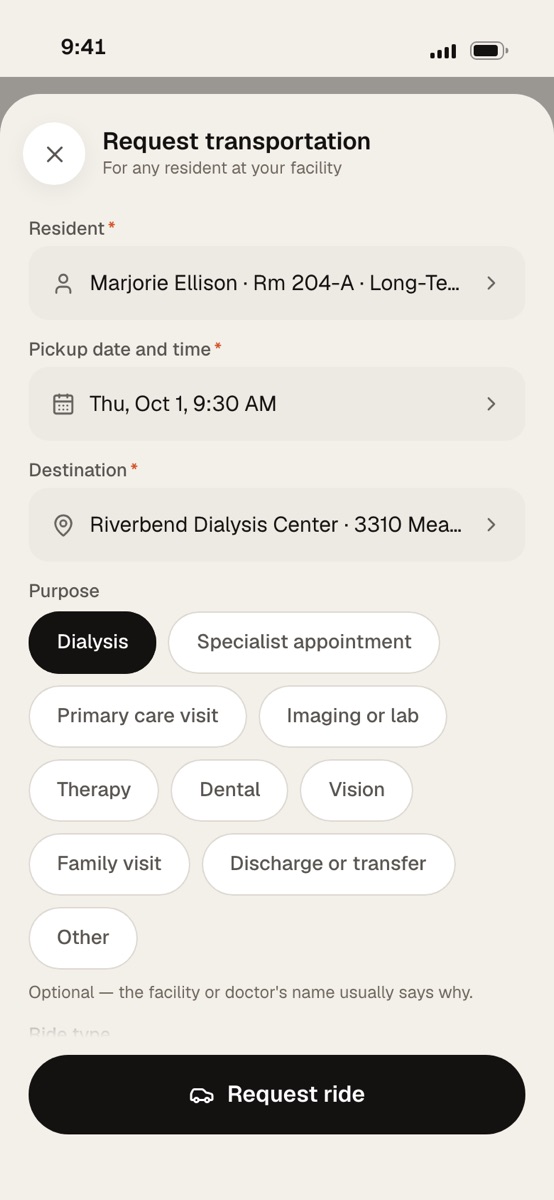
Request a resident’s appointment ride, and the transportation team books it.
Resident transportationRequests
Call-offs, swaps, time off and rides you request show up here, with where each stands.
Time off
Your scheduler reviews it. Your shifts stay yours until it is approved.
The app takes its look from your phone’s own appearance setting, and changes the moment your phone does.
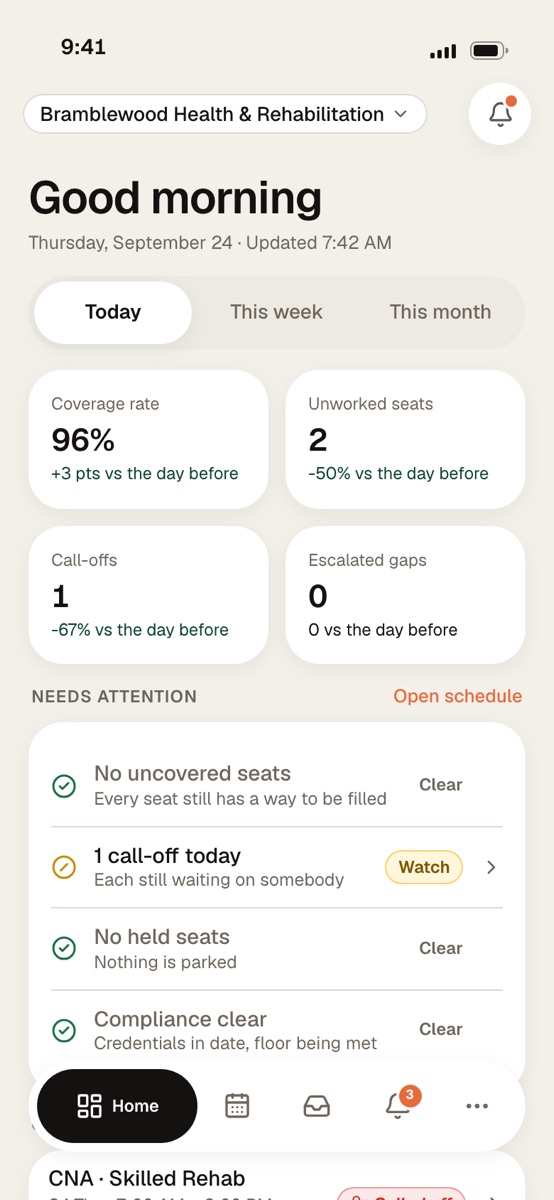
Manage mode puts the console’s work on a phone for charge nurses, schedulers and administrators.
Getting started
Your facility sets up your Syntrah account and sends the invitation to your email, with everything you need for your first sign-in.
Open the invitation on your phone.
It holds the email address you sign in with and a temporary password that works for 7 days.
Choose your own password.
The temporary one can only be used once.
Add an authenticator app.
Each sign-in asks for a 6-digit code from it, to keep resident information protected.
By invitation. Your facility sends each caregiver an email to set up their sign-in on the Syntrah app.
No. Clocking in and out in the app is for scheduling, and it does not calculate pay. Pay is handled by your facility’s own payroll.
Not in the app. The call-off sheet says so before they slide: their scheduler is told at once and Syntrah starts looking for cover. If plans change, they talk to their scheduler.
The app says so before they commit. The offer carries an Another facility badge and names the building, and the confirm sheet warns them again before they slide. Once they slide, it goes on their schedule straight away, like any other shift.
Not until it is approved. The scheduler reviews the request, and the shifts stay theirs until then.
Yes. The same mobile app your caregivers use has a Manage mode for charge nurses, schedulers and administrators: the day’s coverage, what needs attention, and the call-offs still open, wherever they are.
Let’s walk through a call-off together, start to finish.
No pressure. No commitment. Just a conversation about your building.