Every building you run, covered in the order you set.
One calm view of coverage, credentials, and overtime across every building you run - so you see the gaps first.
Marcus’s phone
Screens show a sample facility with fictional data.
Your staff first. Then your other buildings.
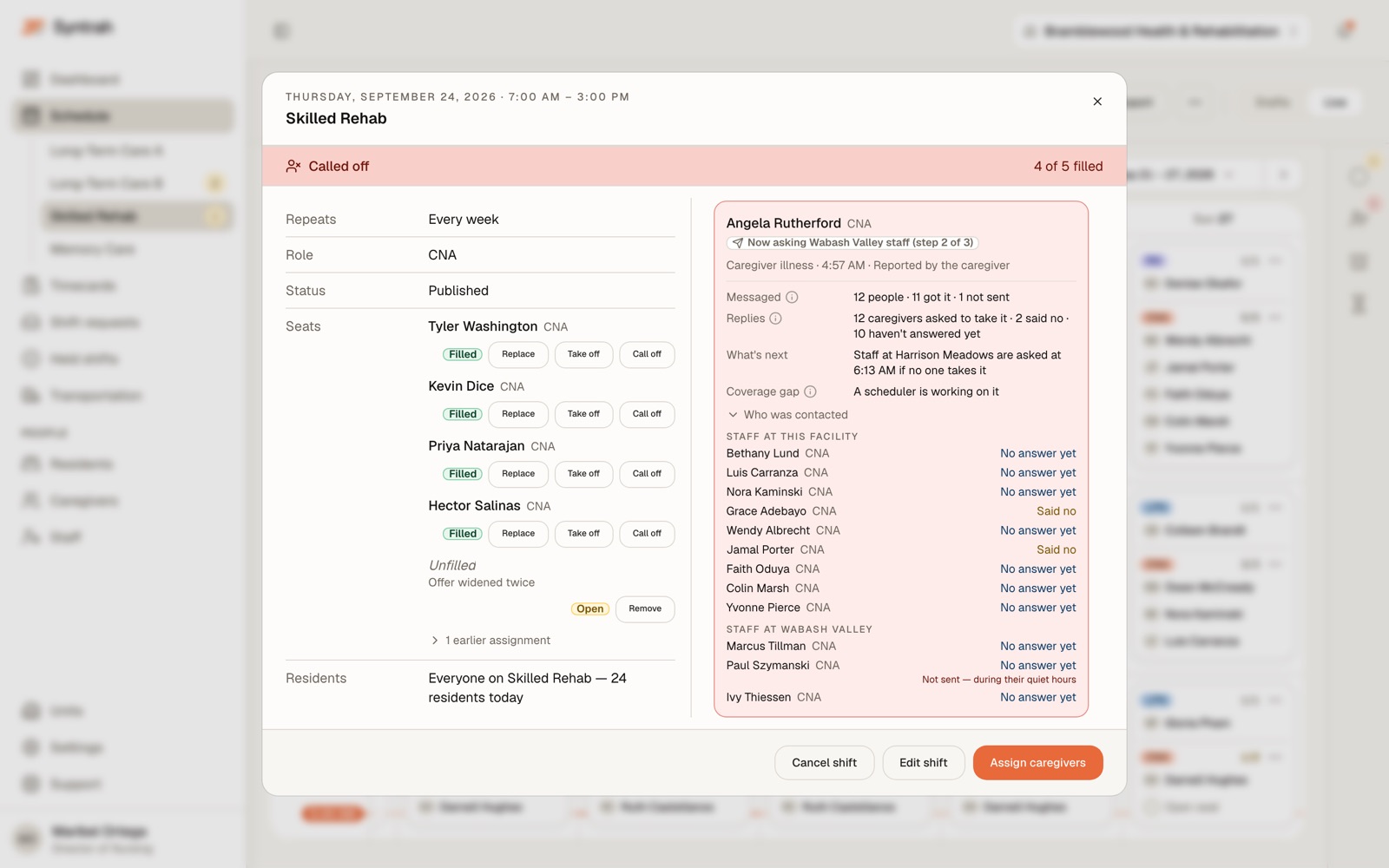
A call-off at one building is offered to its own staff first. If nobody there says yes, your other buildings are asked, in the order you set.
If nobody says yes, the shift is declared uncovered and escalated to a scheduler - never left to expire.
Follow one call-off, step by step- 1
Part-time and as-needed staff with room left this week
Offered first.
- 2
Everyone eligible at the facility
Full-timers are reached here, one rung later, not skipped.
- 3
Your other facilities, in the order you set
An offer at another building says so before anyone accepts.
- 4
Declared uncovered and escalated to a scheduler
A person takes it from here.
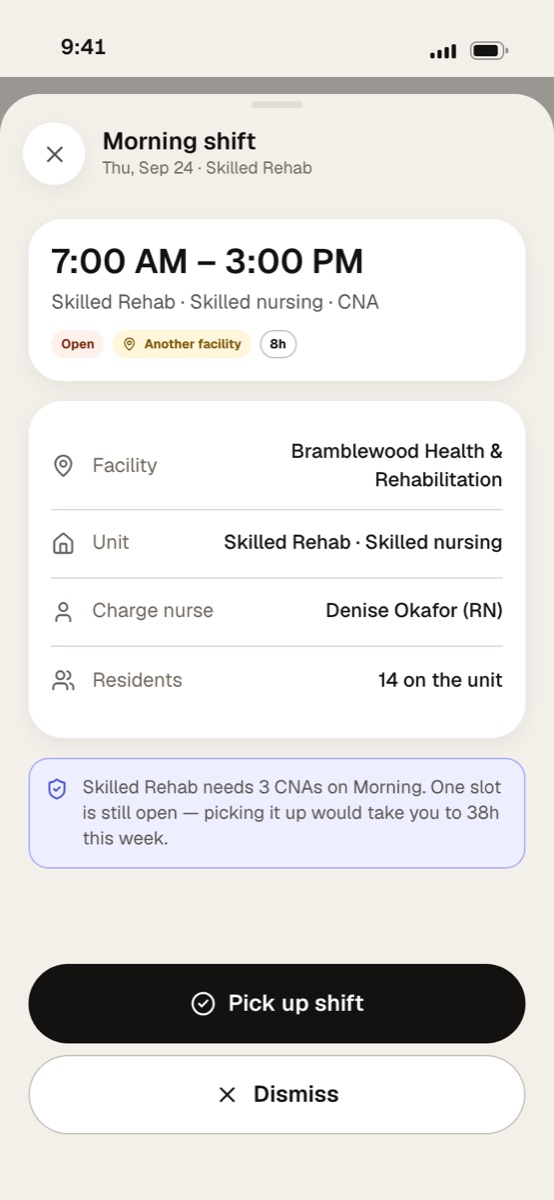
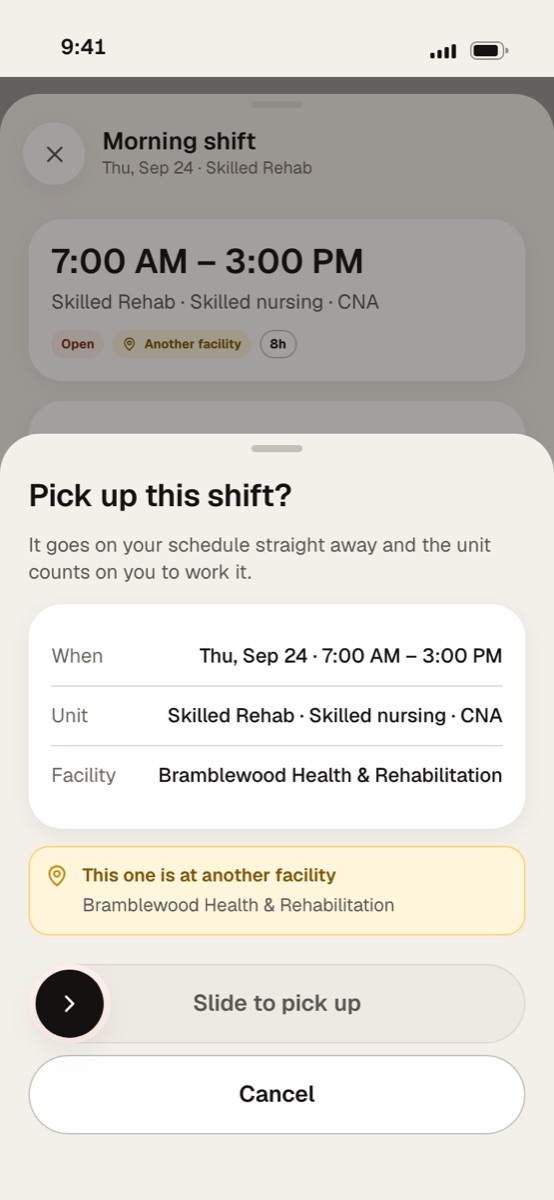
Another building, said plainly before they say yes.
An offer at one of your other buildings carries an Another facility badge and names the building, and the confirm sheet warns again before the slide. Once they slide, it goes on their schedule straight away.
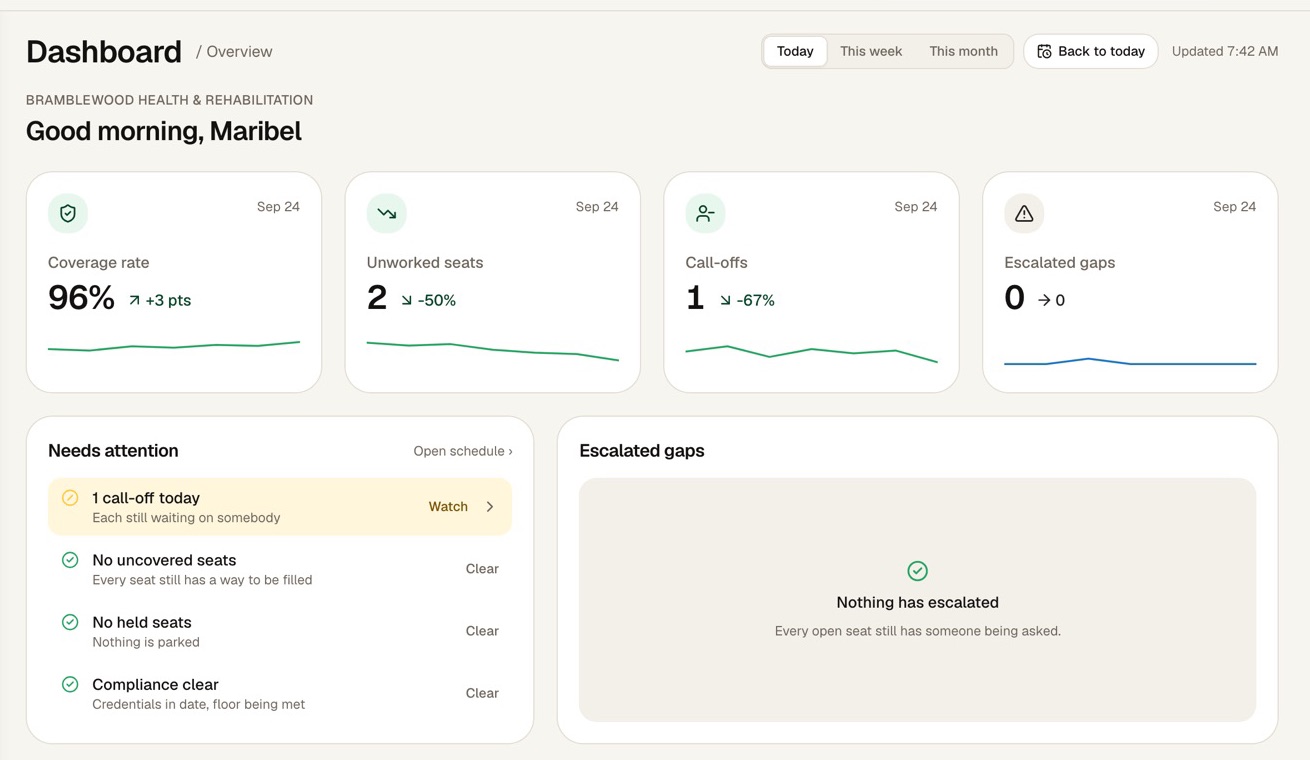
Every building on one screen, each with its own record.
The Command Centre shows each building’s coverage rate, unworked seats, call-offs and escalated gaps, and what needs attention first.
Access, scoped
A role sees only what it is granted, scoped to the organization, a facility, a unit, or only their own.
Your data lives apart
Every organization’s data sits in a database schema of its own, never in rows shared with another operator.
Nurse hours, per building
Licensed-nurse hours per resident day against each facility’s own target. A scheduling view, not a compliance determination.
A name on every change
Schedule changes, overrides, coverage gaps and notifications are logged with who, when, and what changed from what.
Do the math across your buildings
Every building is different. Put in your own numbers - they never leave this browser.
Does Syntrah cover call-offs across our facilities?
Yes, in the order you set. A call-off goes first to part-time and as-needed staff with room left this week, then to everyone eligible at the facility, then to your other facilities, in the order you set. If nobody accepts, the shift is declared uncovered and escalated to a scheduler.
What happens when a caregiver picks up a shift at another facility?
The app says so before they commit. The offer carries an Another facility badge and names the building, and the confirm sheet warns them again before they slide. Once they slide, it goes on their schedule straight away, like any other shift.
Can a caregiver be offered a shift they aren’t cleared to work?
No. The same checks run on every path to a seat - an offer, a swap, or a scheduler assigning someone by hand - including the role, an active license, sign-off for the unit, minimum rest between shifts and the exclusion lists.
How is our data kept separate and secure?
Each organization’s data is kept in its own database schema. Access is role-based and denied by default, data is encrypted in transit and at rest, handling is HIPAA-aligned, and every change is recorded in an audit trail.
Does it show our staffing levels?
Syntrah shows licensed-nurse hours per resident day against your facility’s target: licensed-nurse hours with Director of Nursing hours excluded, over total resident-days for the window. It is a scheduling view, not a compliance determination.
Your buildings deserve better than 5am panic.
Let’s walk through a call-off together, across two of your buildings.
No pressure. No commitment. Just a conversation about your buildings.