The 4:57am Scramble
An aide texts before sunrise and Unit 2 drops below ratio. Syntrah detects the gap and routes a replacement - before you’ve made a single call.

Welcome Now Your shift
Syntrah routes replacements before your coffee is even brewed.
Call-offs routed, shifts covered, licenses checked - all before report. So your nurses stay with residents, not on the phone.
Tailored for Directors of Nursing in skilled nursing.
An aide texts before sunrise and Unit 2 drops below ratio. Syntrah detects the gap and routes a replacement - before you’ve made a single call.
Licenses lapse and certifications expire. Syntrah checks every credential before anyone is offered a shift - and reminds you before they run out.
A pickup here, a stay-over there, and suddenly half the floor is heading past 40 hours. Syntrah shows who’s approaching overtime before the week gets away from you.
We built Syntrah after one too many 4:57am texts. Everything else came from listening to administrators, nurses, and schedulers just like you.
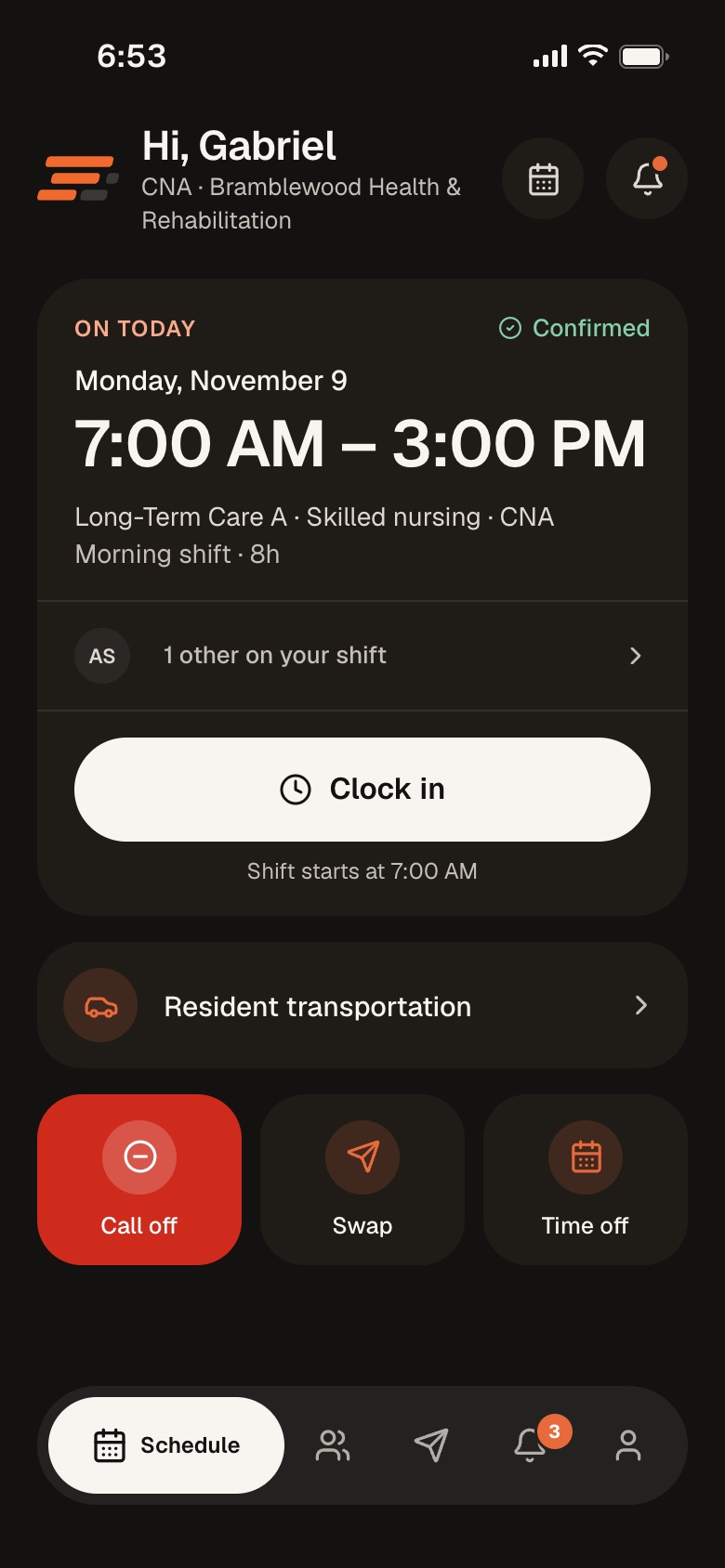
The office works in the console, in a browser or the new desktop app. The floor works from their phones. It is the same schedule everywhere.
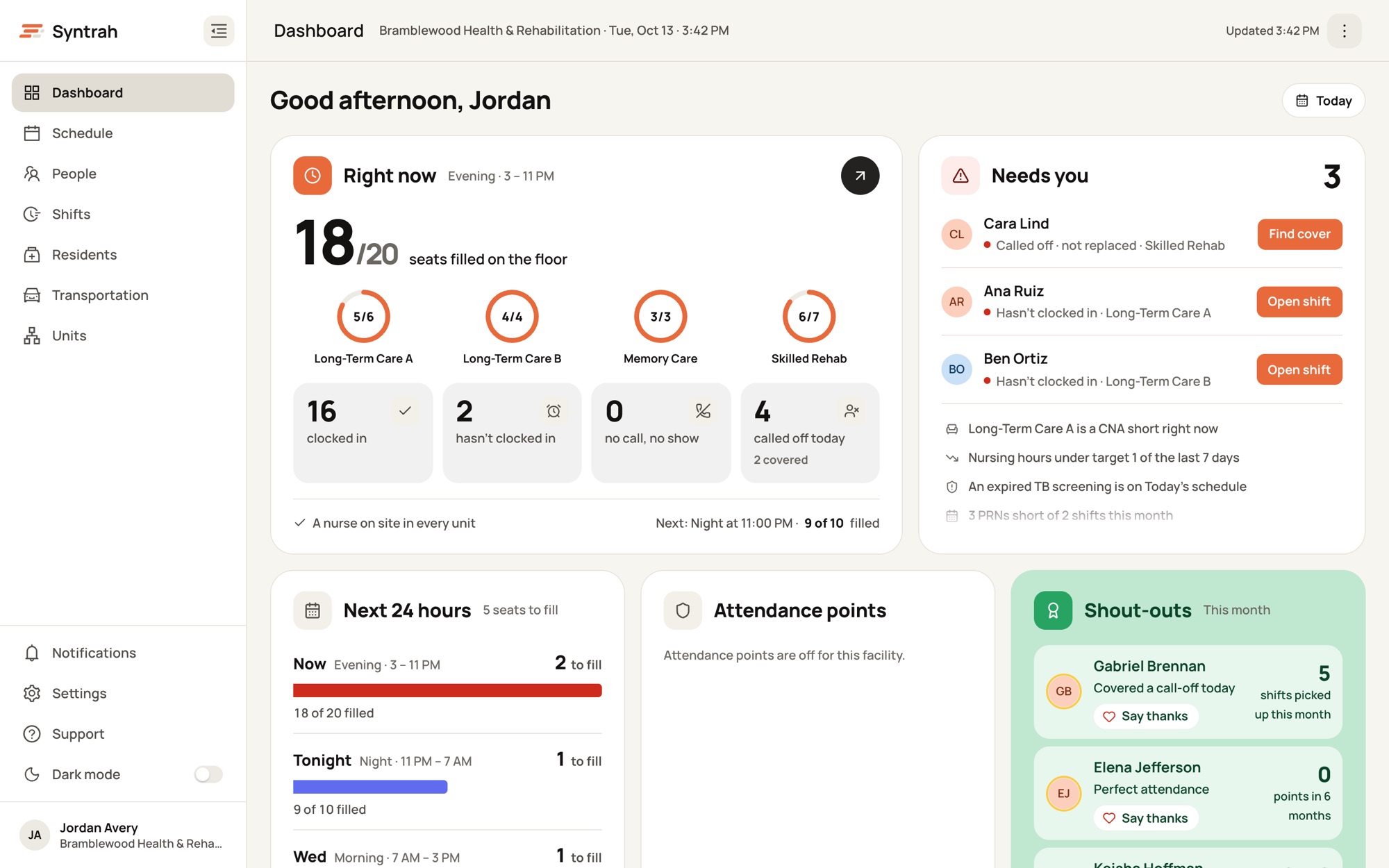
Schedules, call-offs, timecards, people and trips for the whole building. Works in any modern browser.
The same console in its own window on Mac and Windows. It sits in the Dock or taskbar and can open at login.
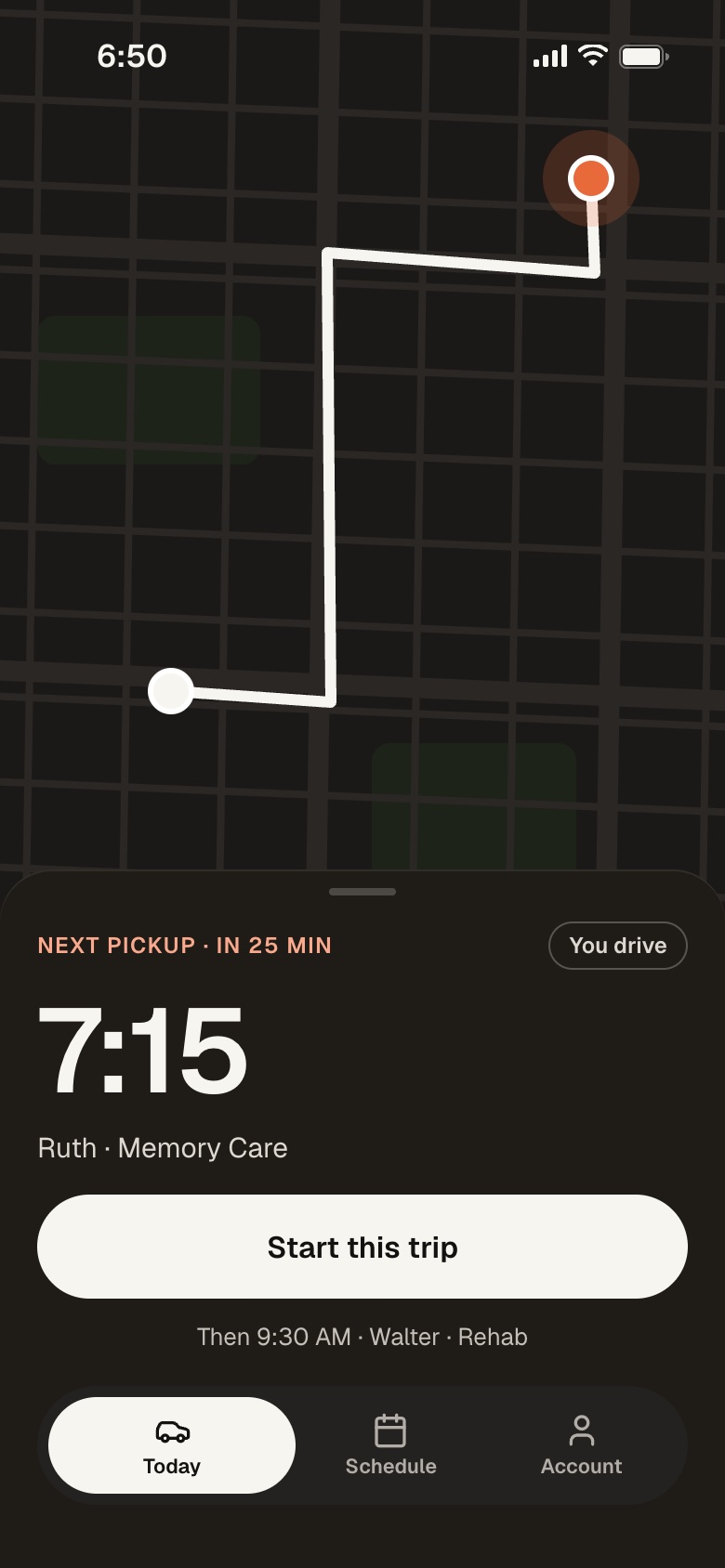
Caregivers pick up, call off and clock in. Drivers run their trips. Charge nurses run the unit.
One call-off, from Imani’s phone at 6:00 AM to Gabriel taking the shift four minutes later.
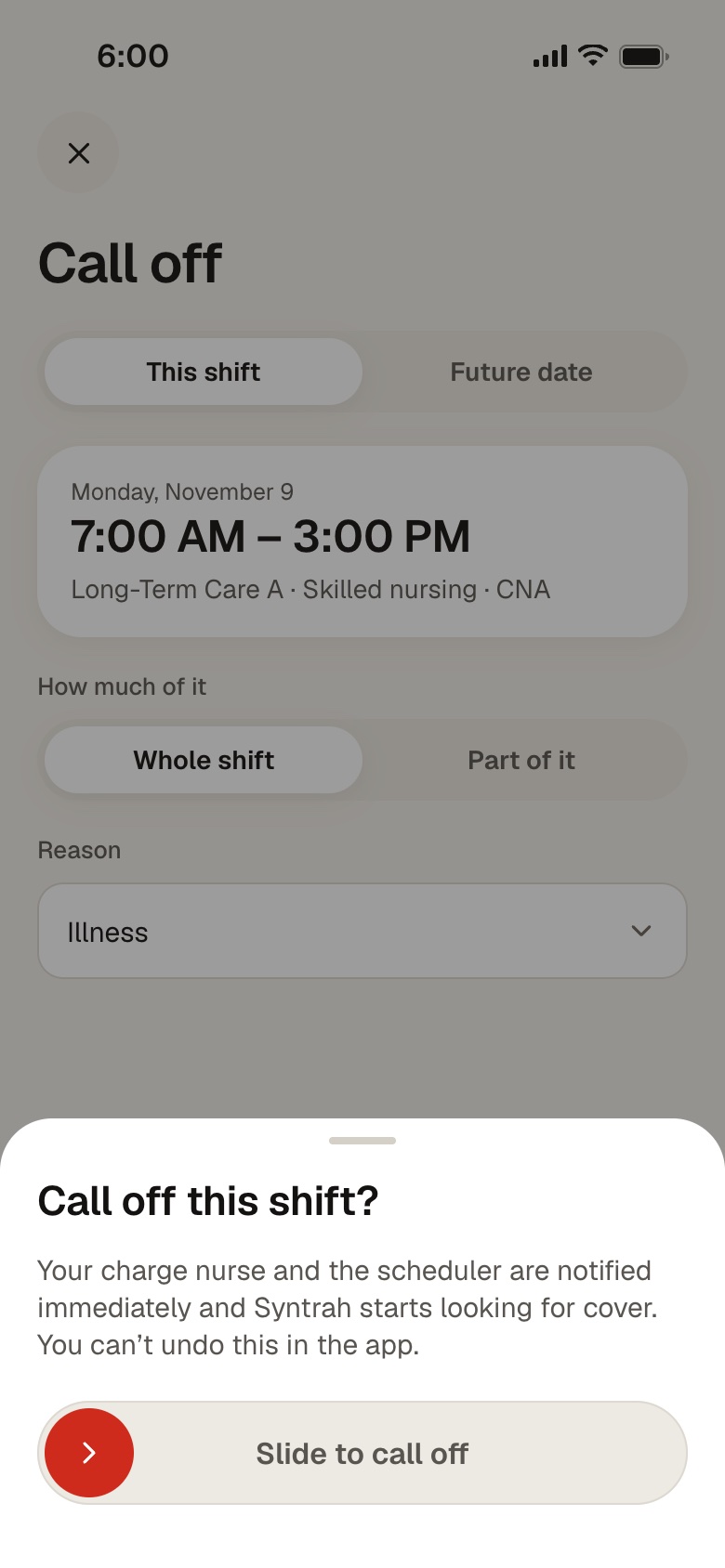
6:00 AM
From the app, with a reason. Her charge nurse and the scheduler are told at once.
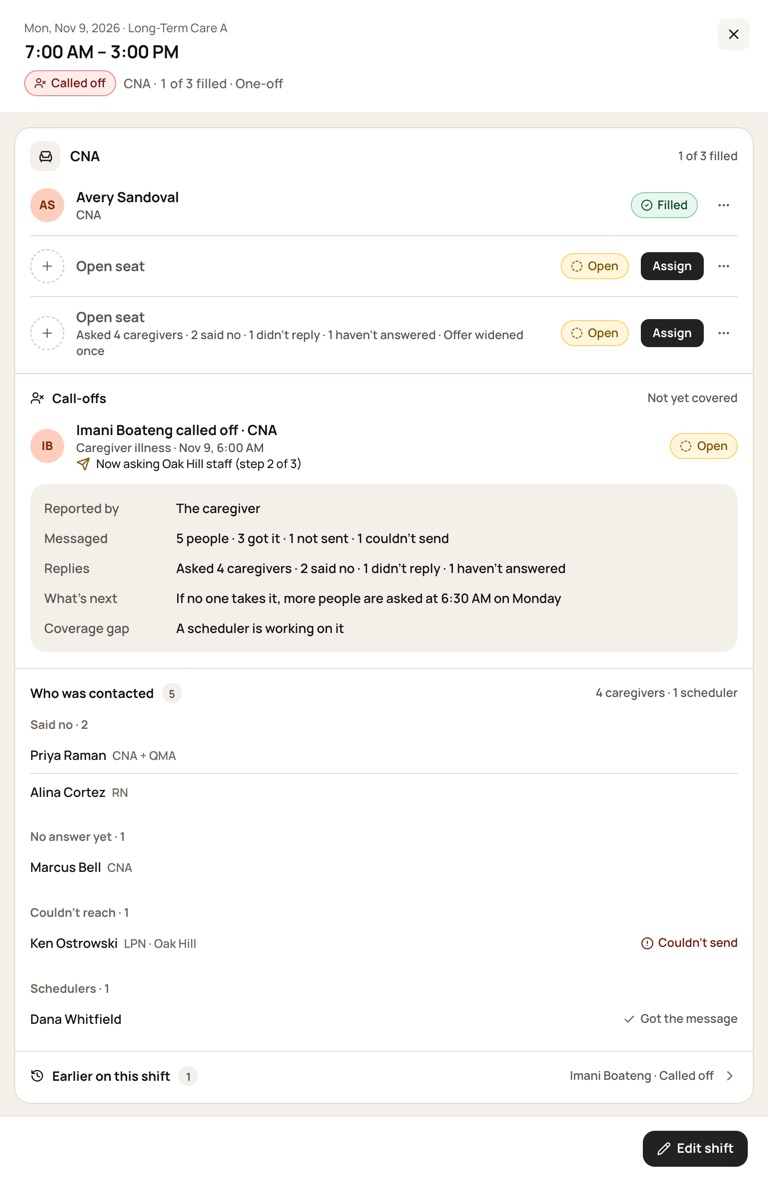
6:02 AM
Qualified staff first, then your other buildings. The scheduler sees every reply.
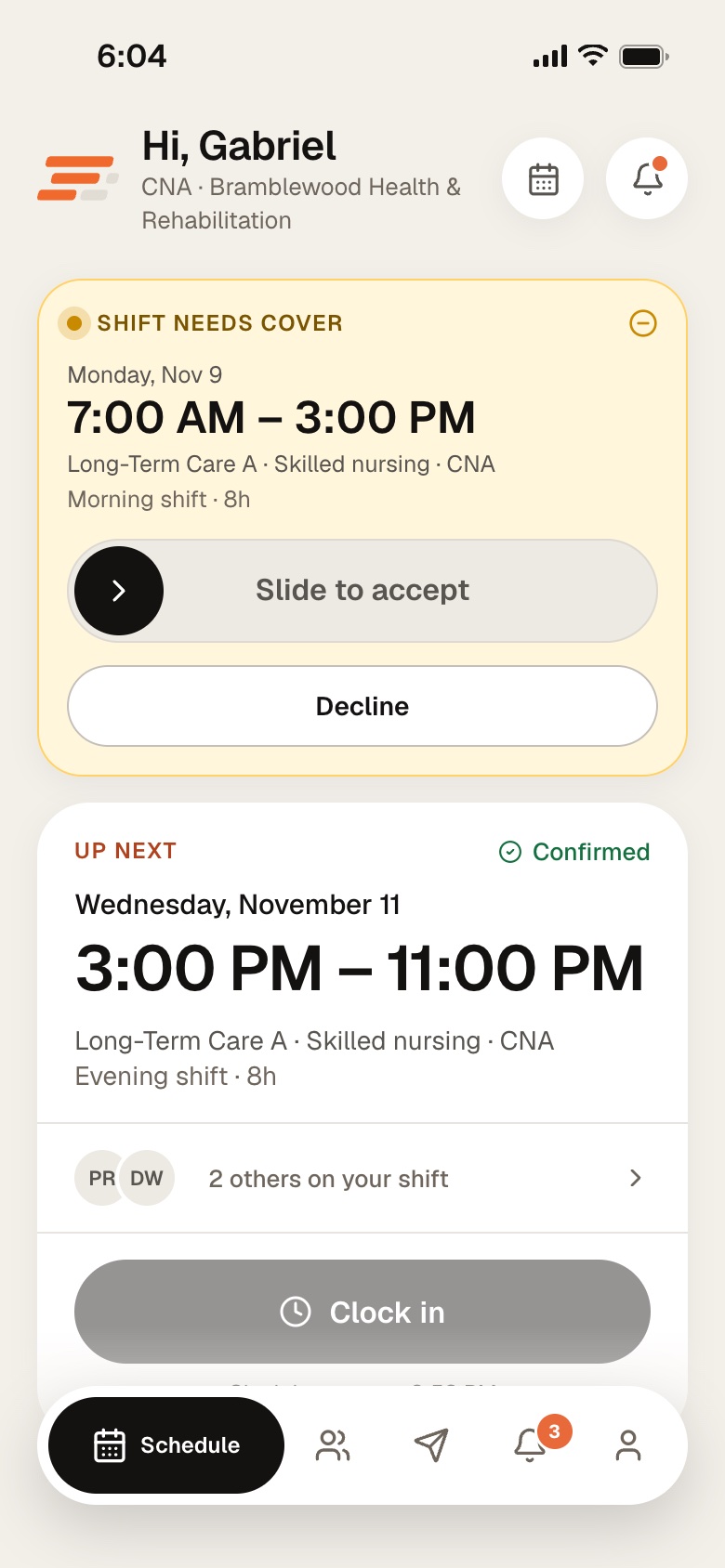
6:04 AM
The first person to accept gets the shift. If nobody does, the offer widens.
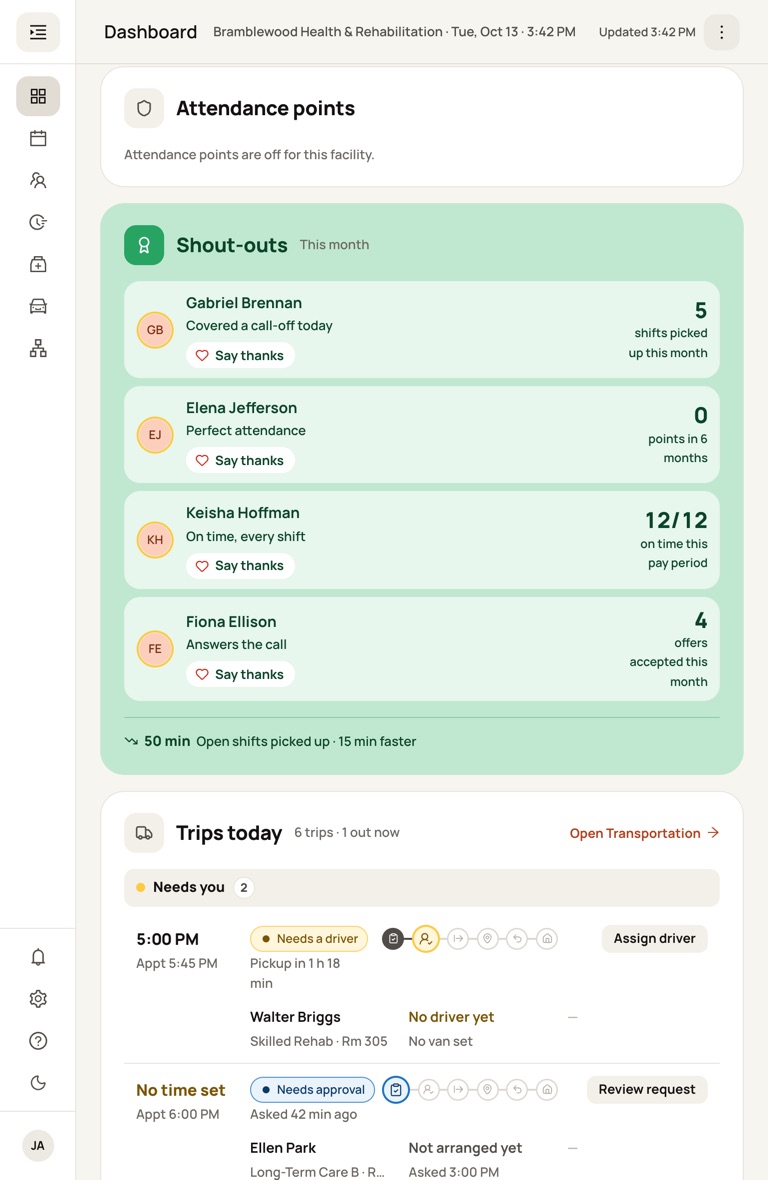
Before report
The seat fills on the board, and the dashboard shows who covered it so you can say thanks.
Pages run edge to edge, and records open in a panel beside the list, so you never lose your place. Light or dark, as each person likes it.
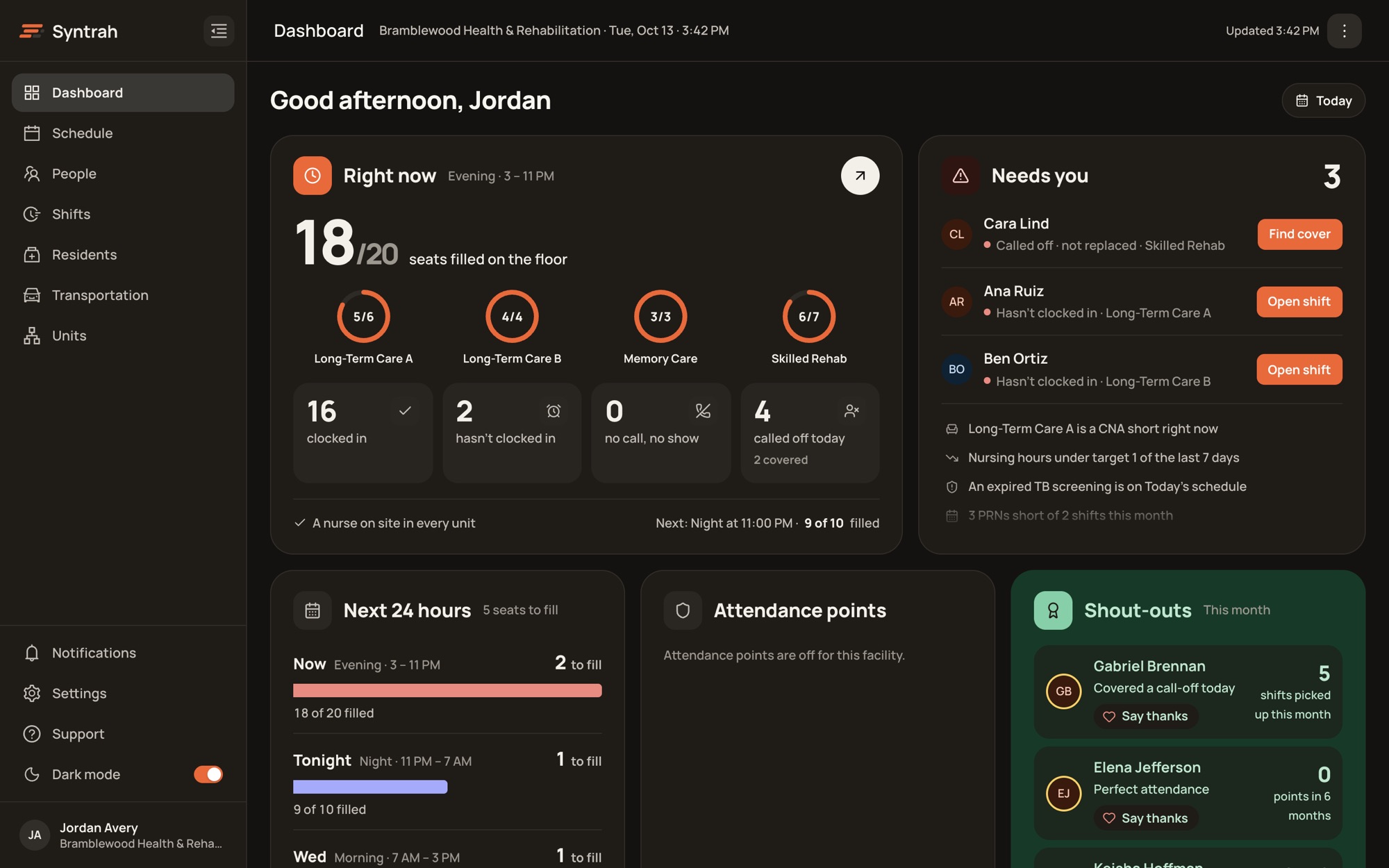
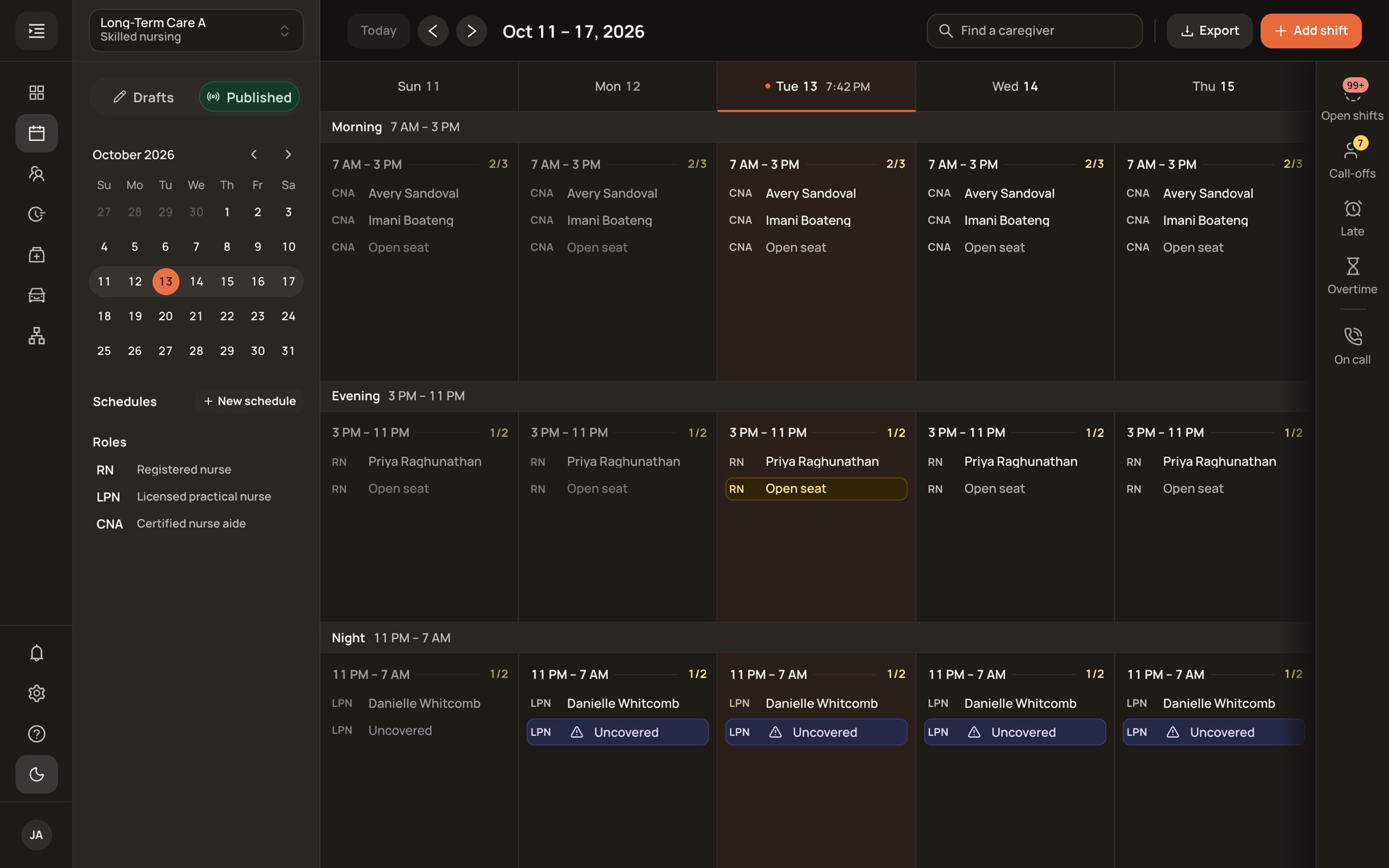
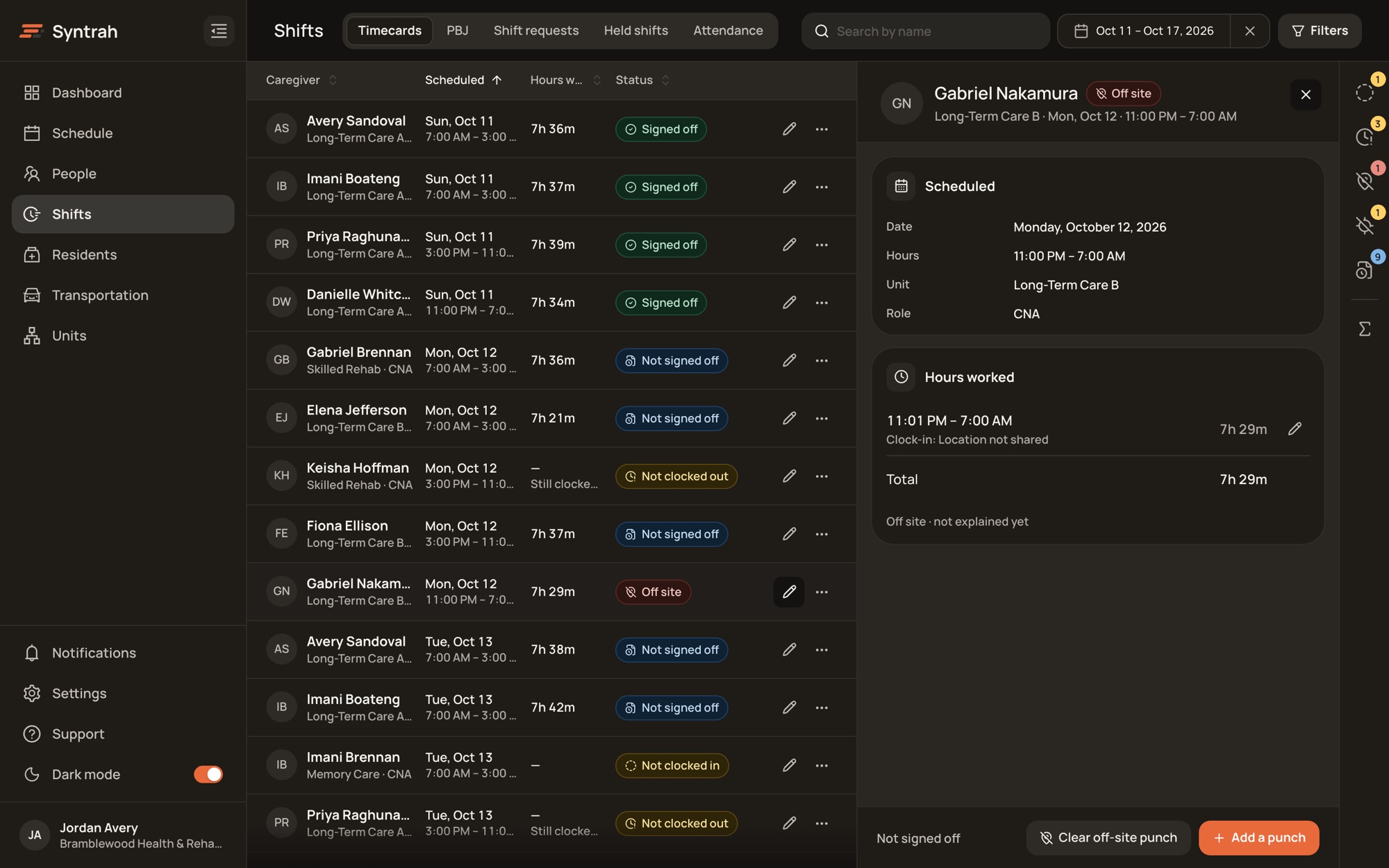
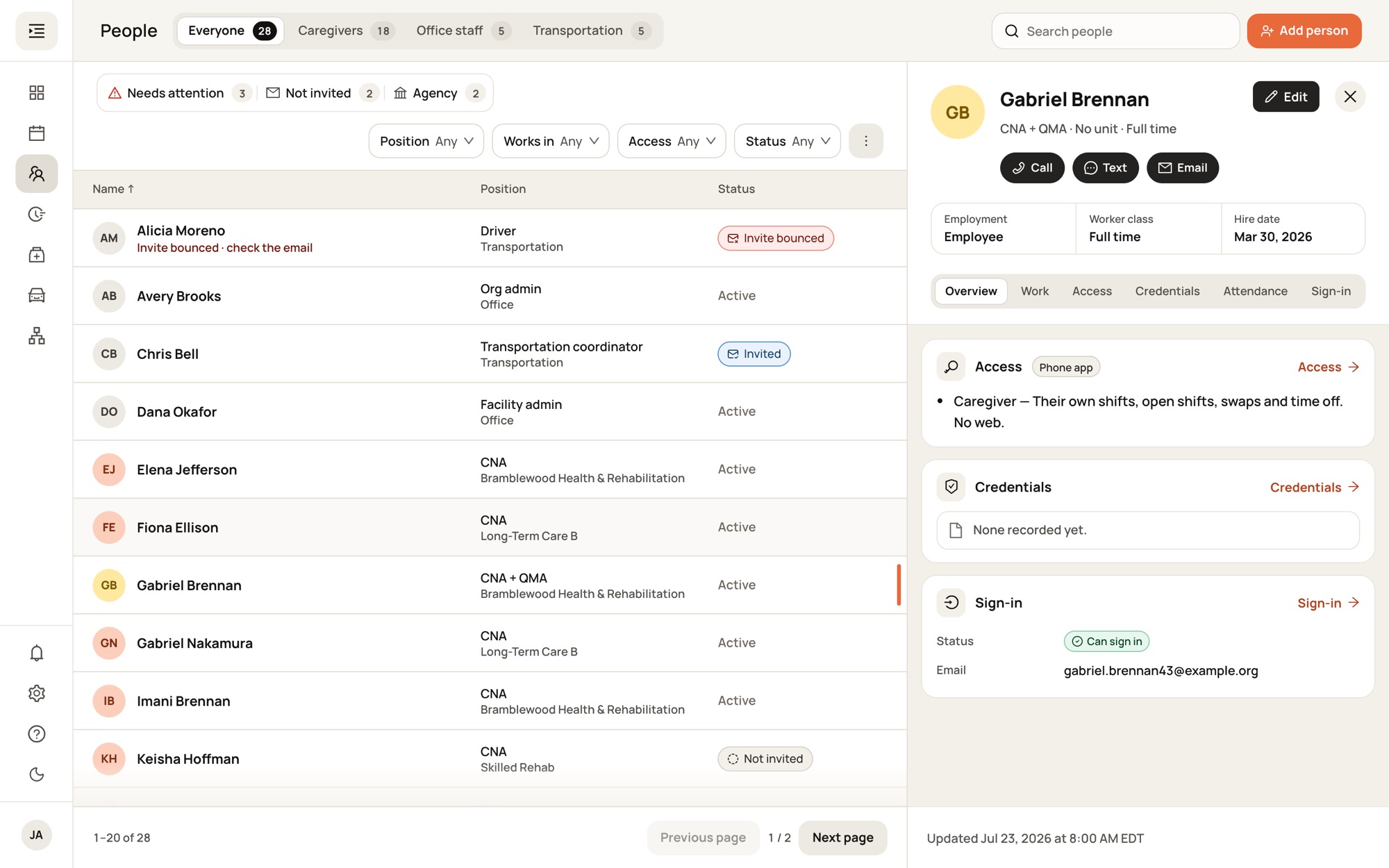
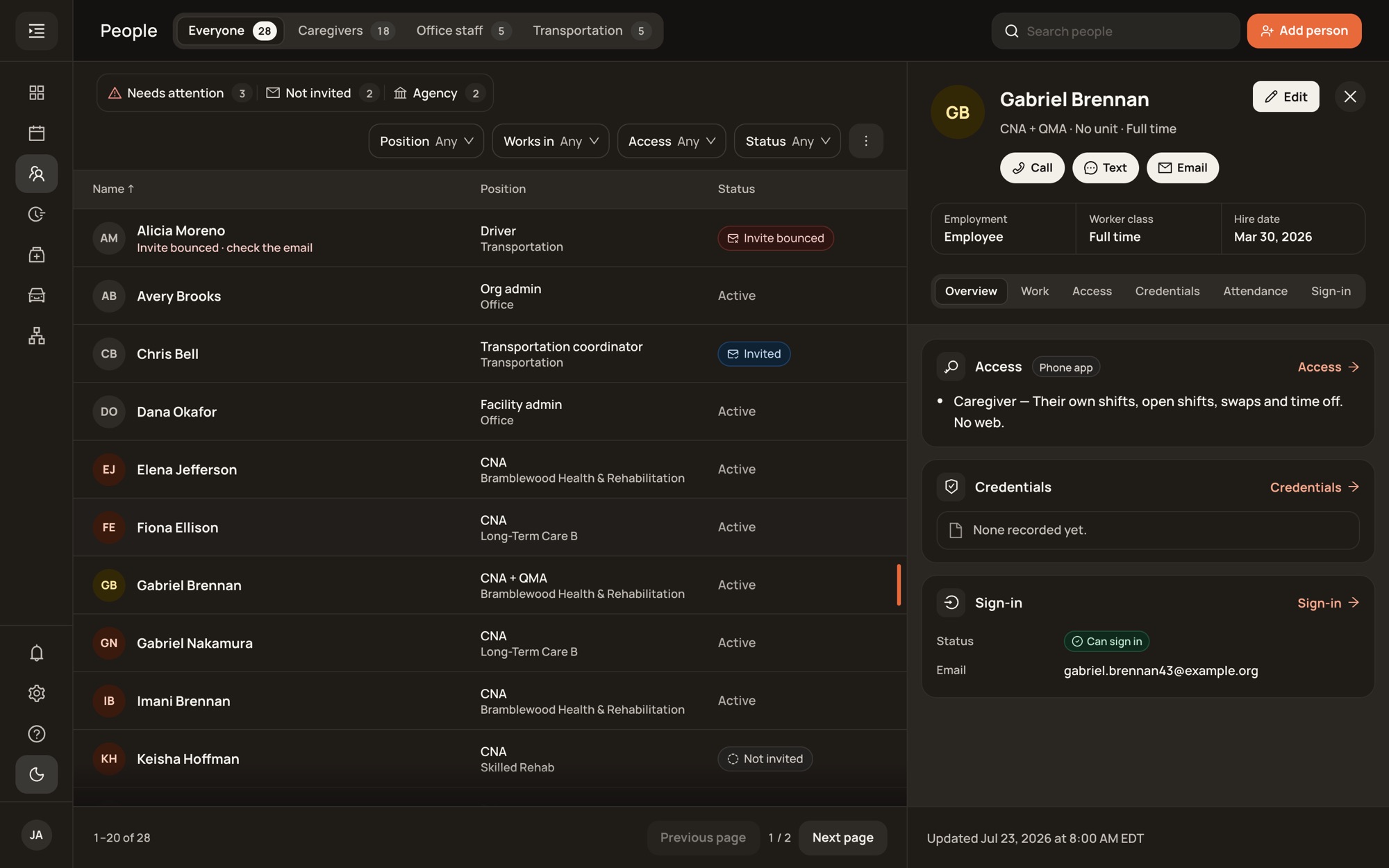
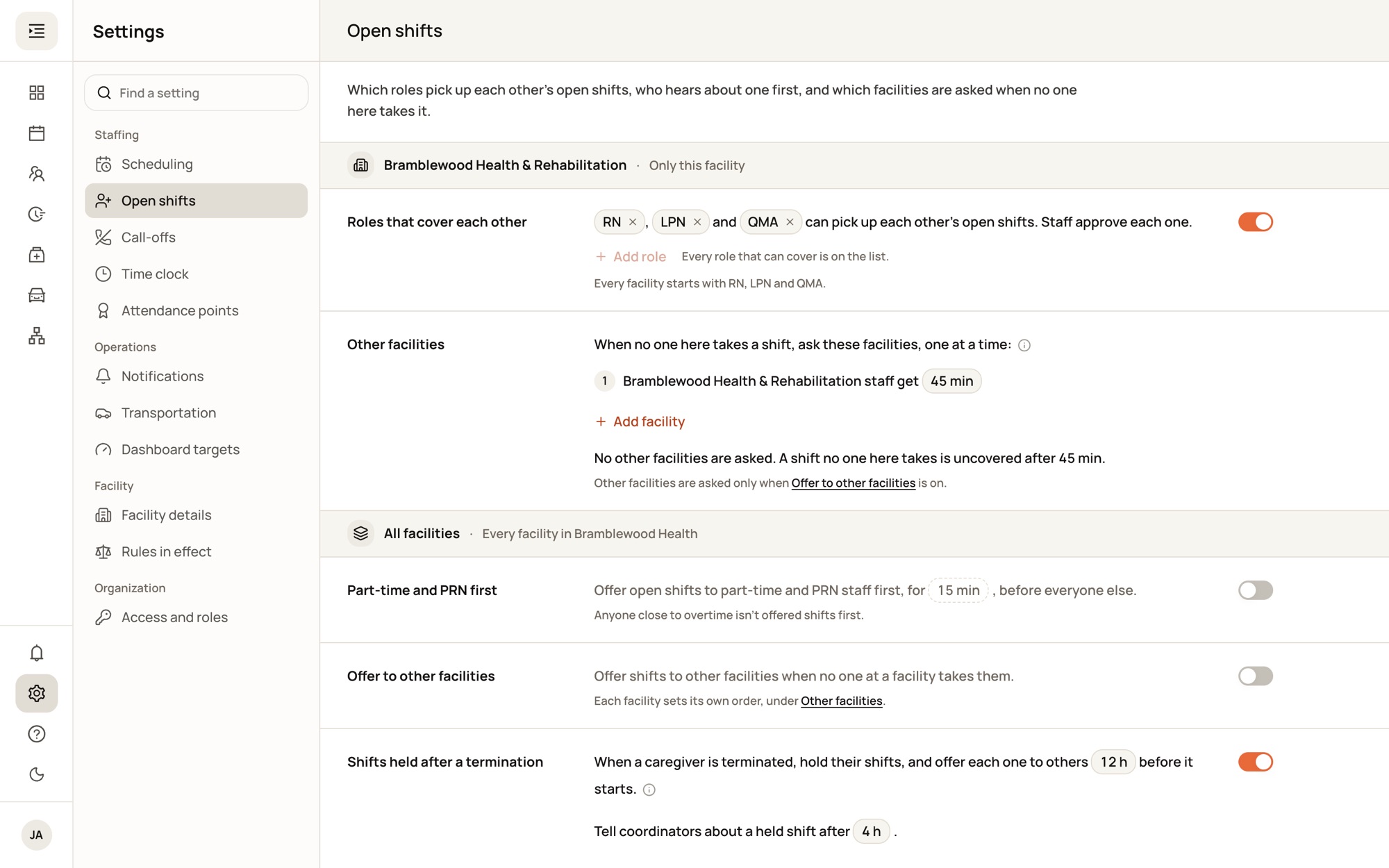
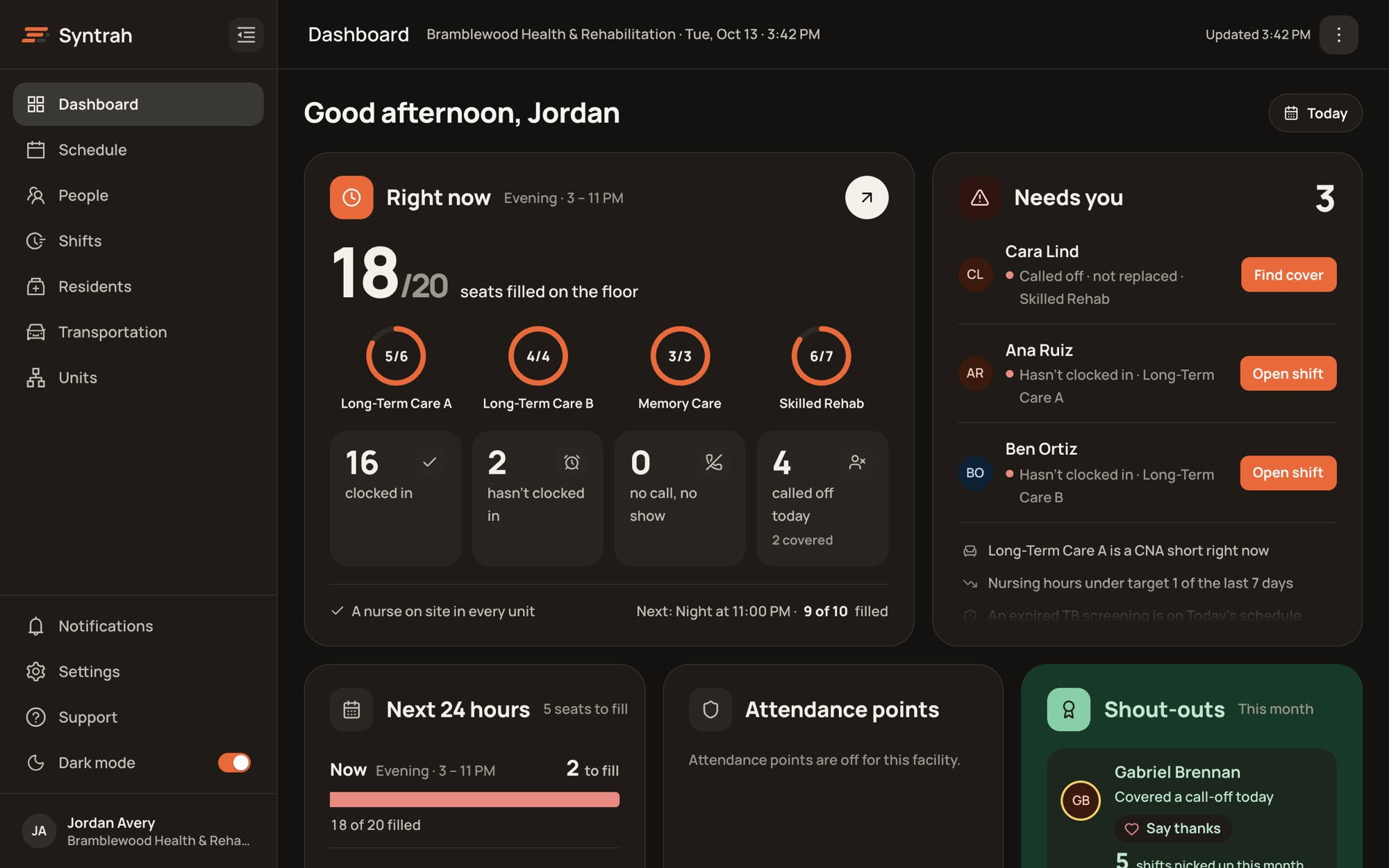
Seats filled right now, who hasn’t clocked in, and the call-offs still open, each with the button that fixes it.
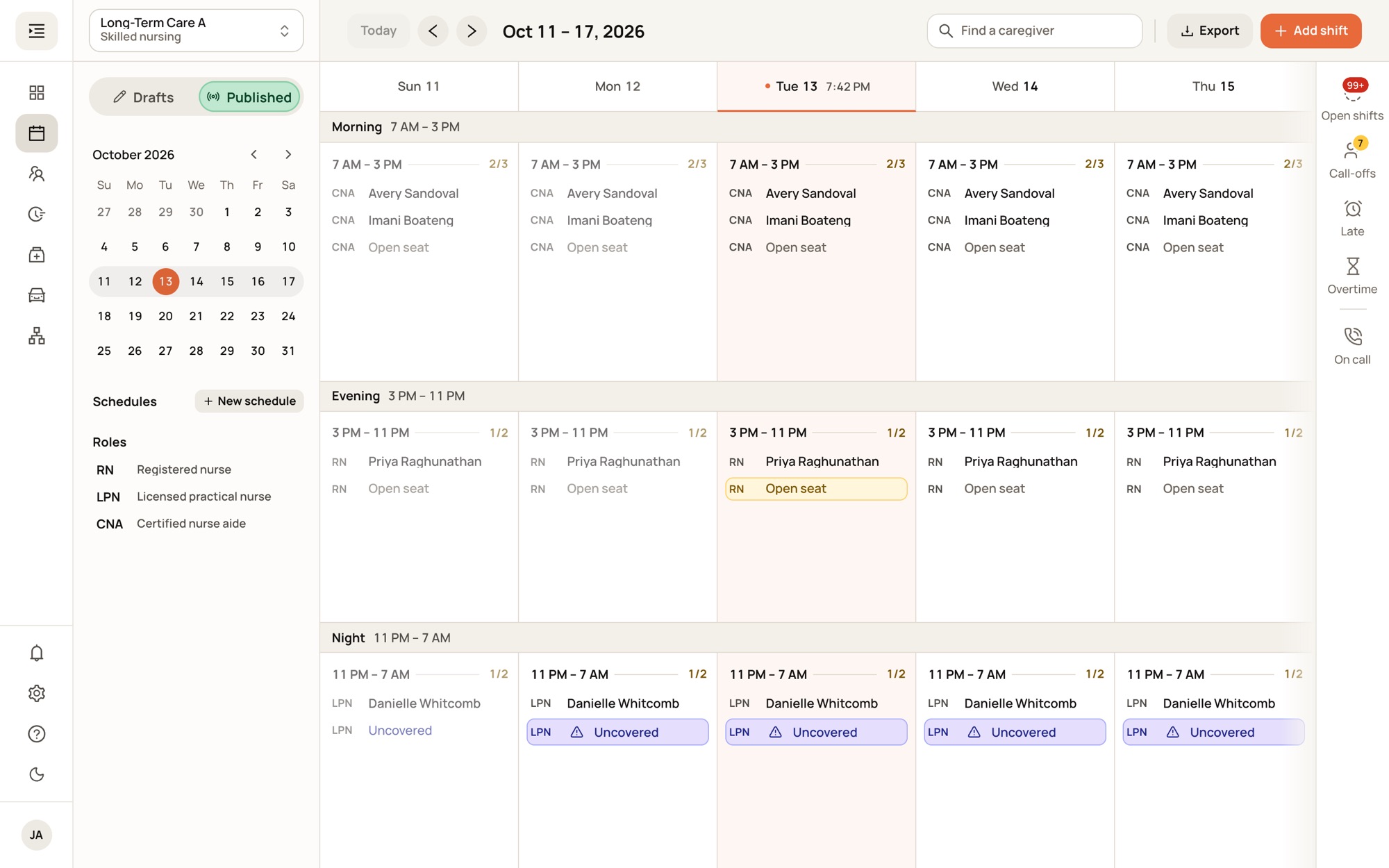
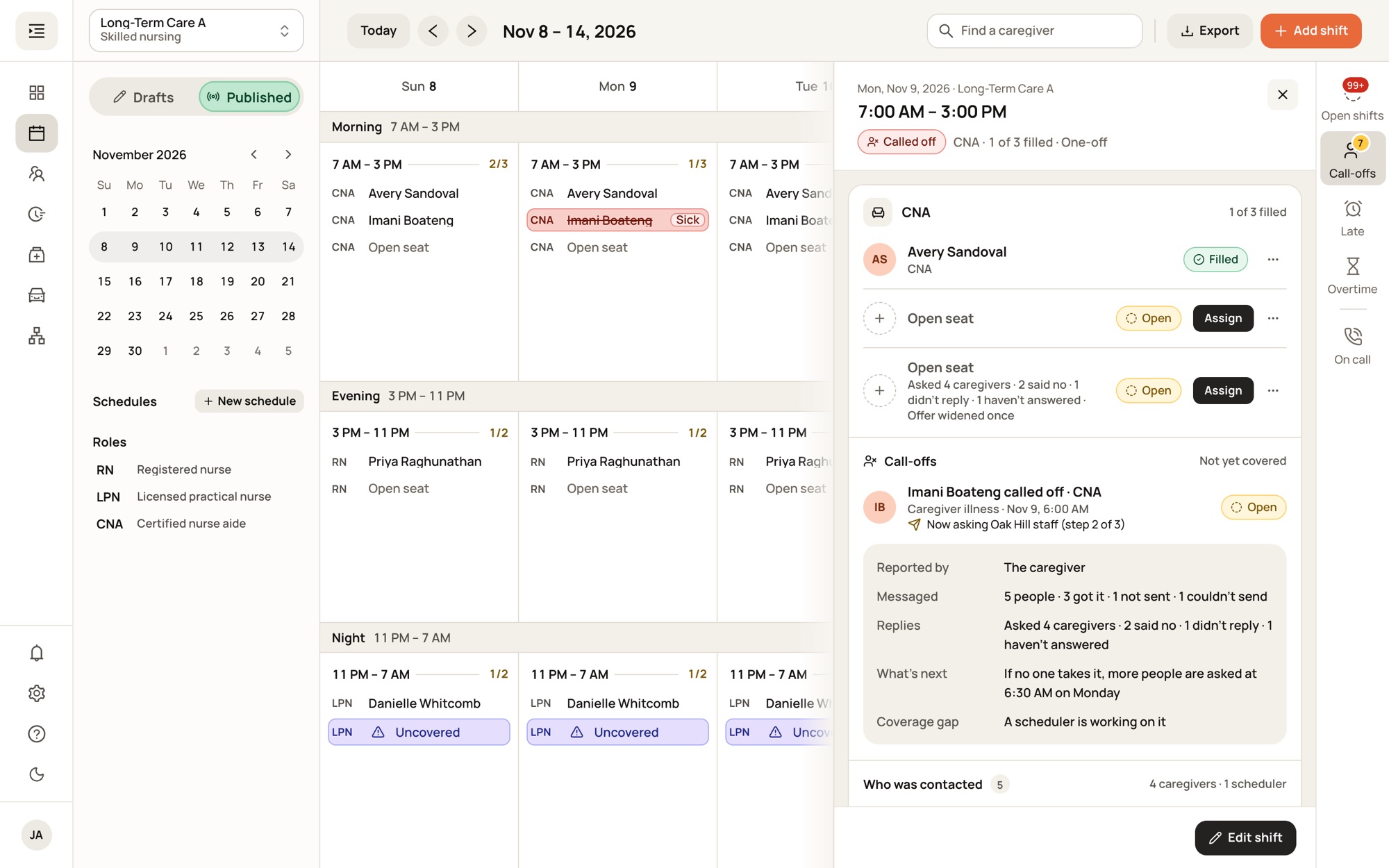
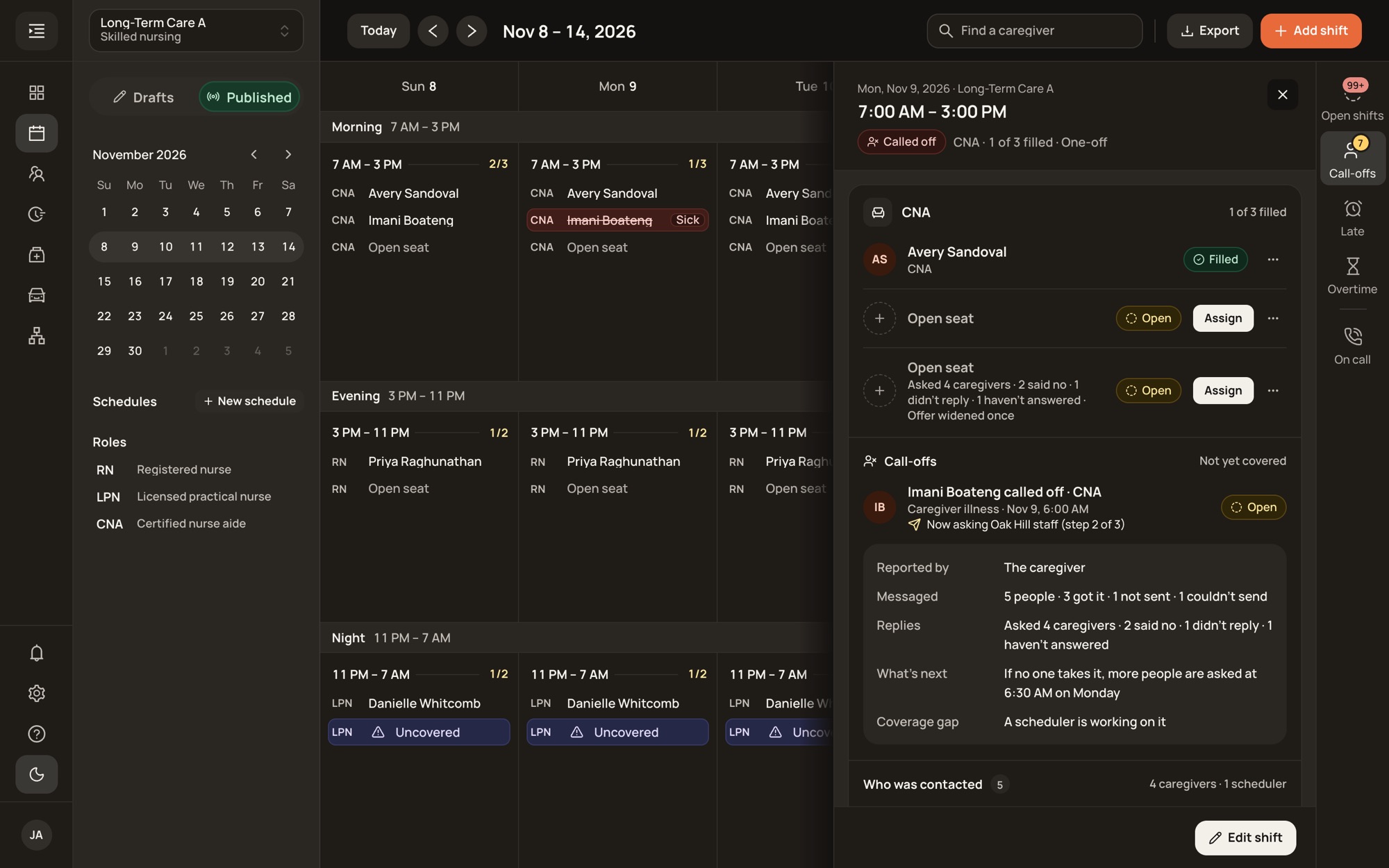
Morning, evening and night for each unit. Open and uncovered seats are marked the moment they appear.
Who was asked, who said no, and when Syntrah asks the next group, in a panel beside the board.
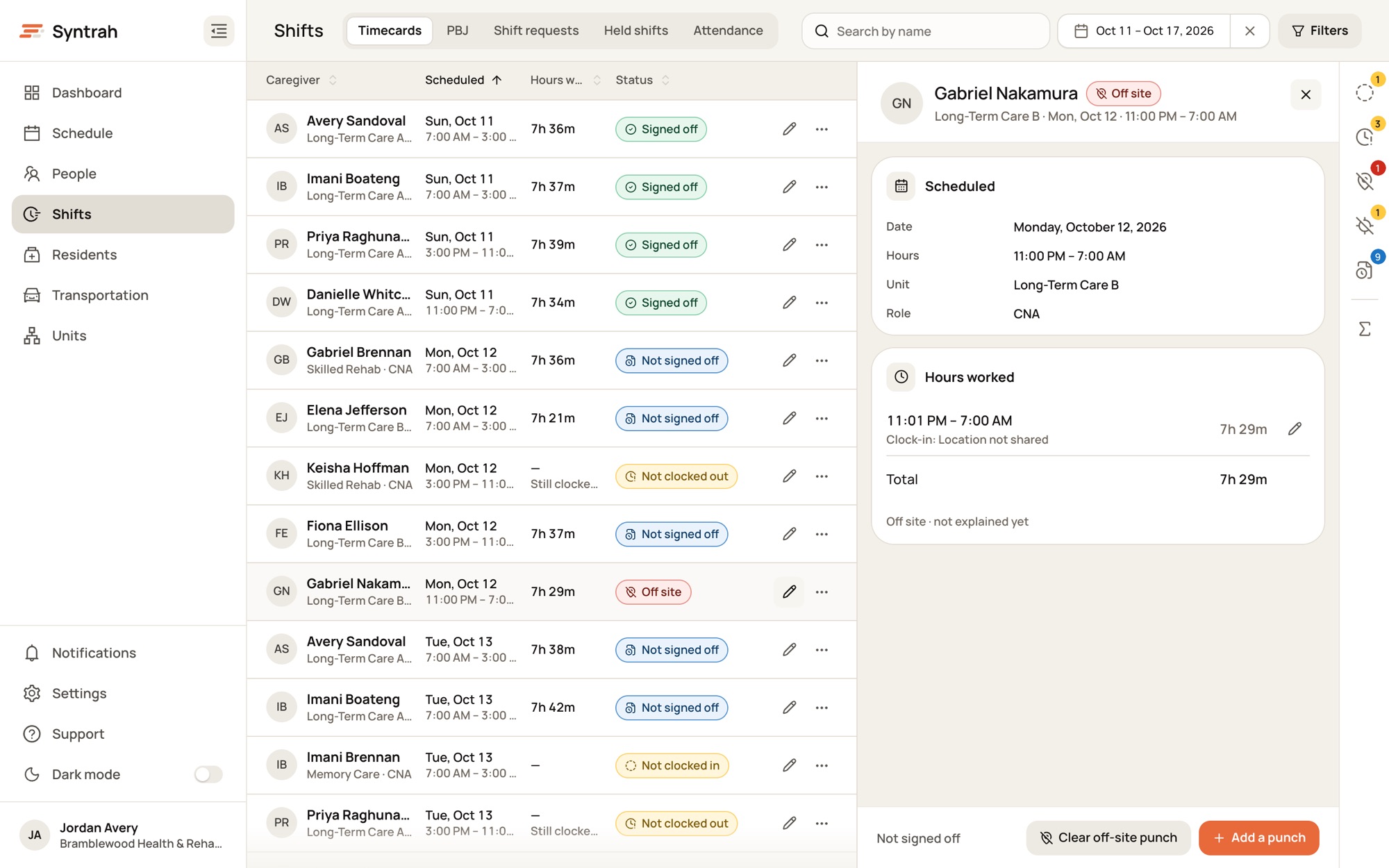
Signed off, not clocked out, off-site punches. Fix each one in the record beside the list.
Contact, access, credentials and sign-in for everyone, from caregivers to drivers.
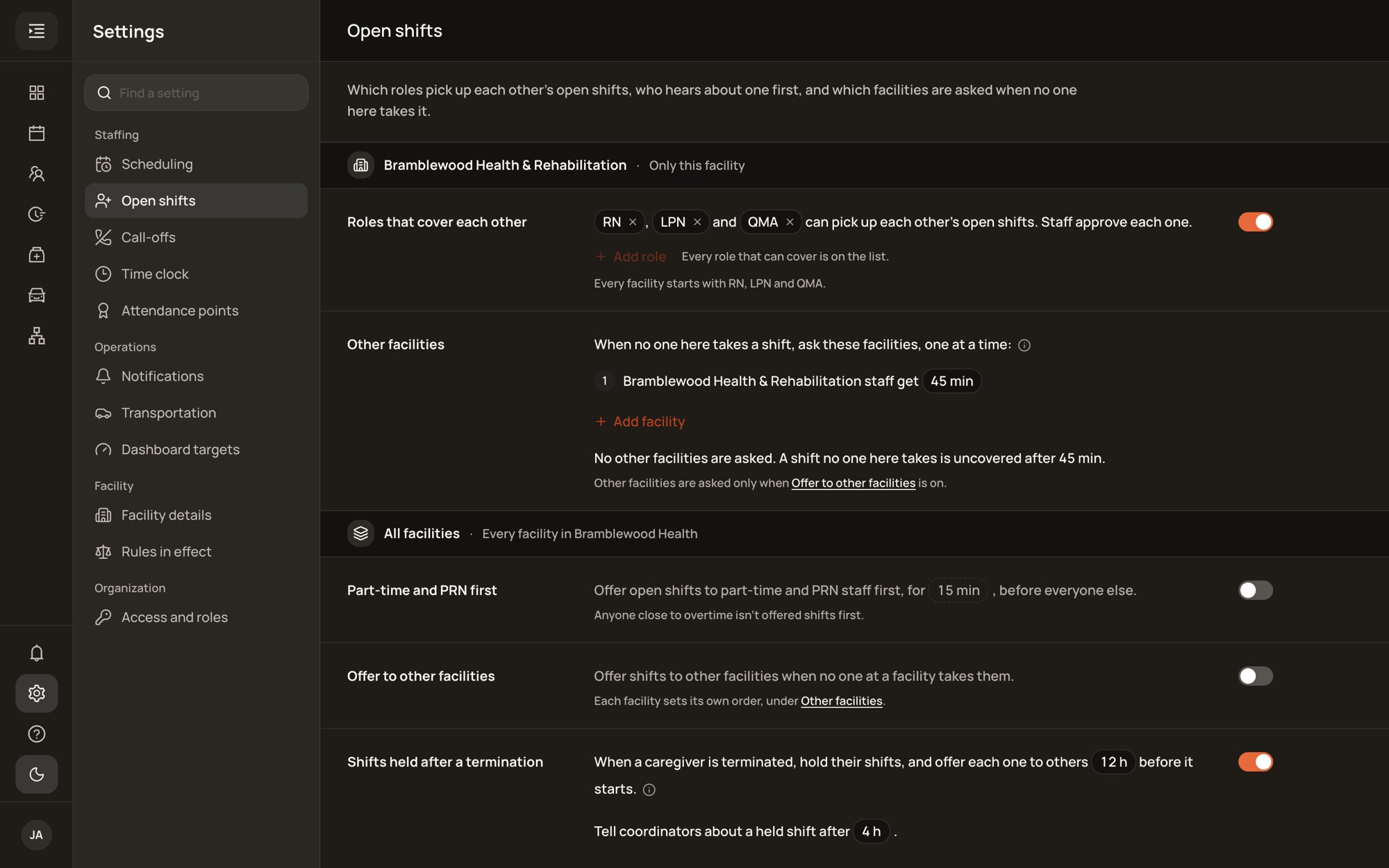
Rest between shifts, which roles cover each other, your other buildings and PRN-first offers, set per facility.
One app for caregivers, drivers and the staff who run the floor. It follows the phone’s light or dark setting.
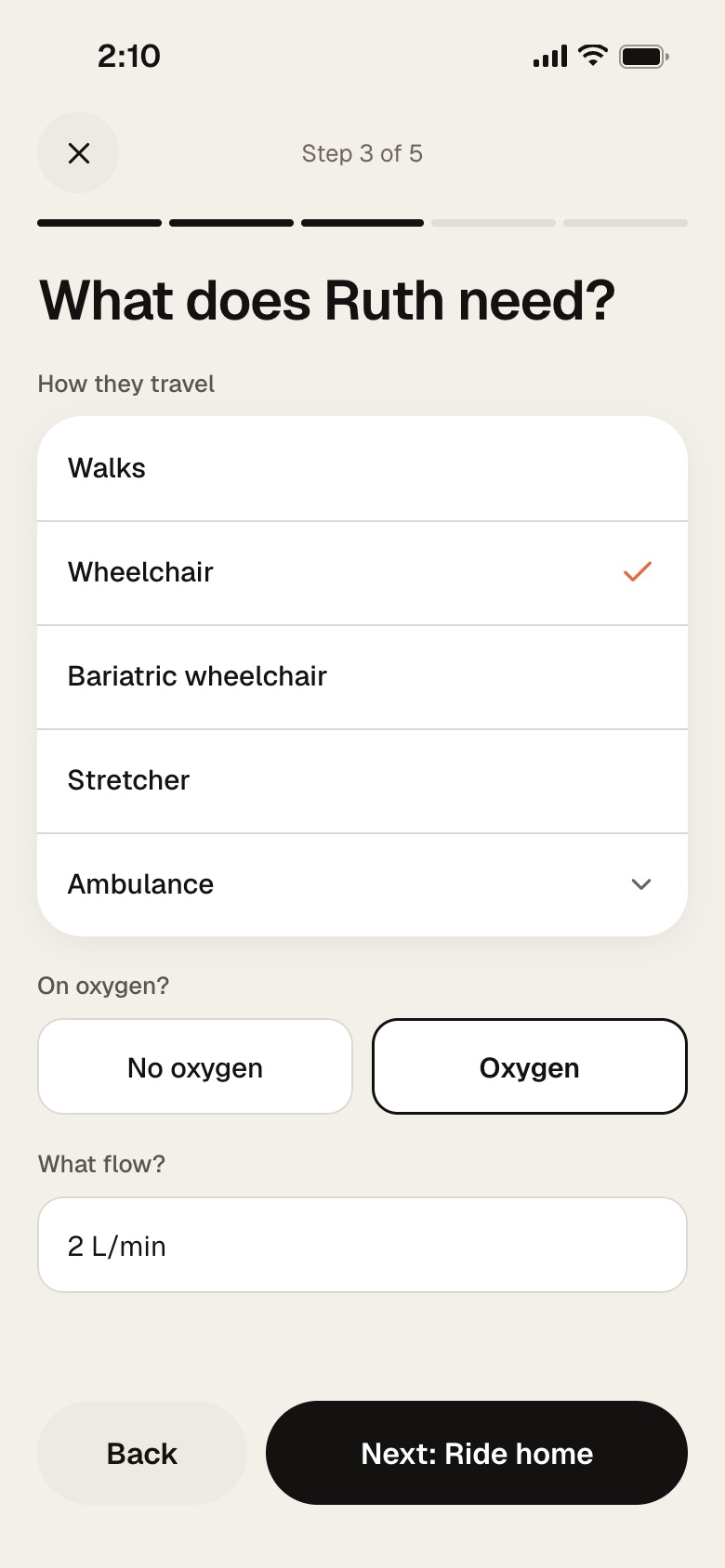
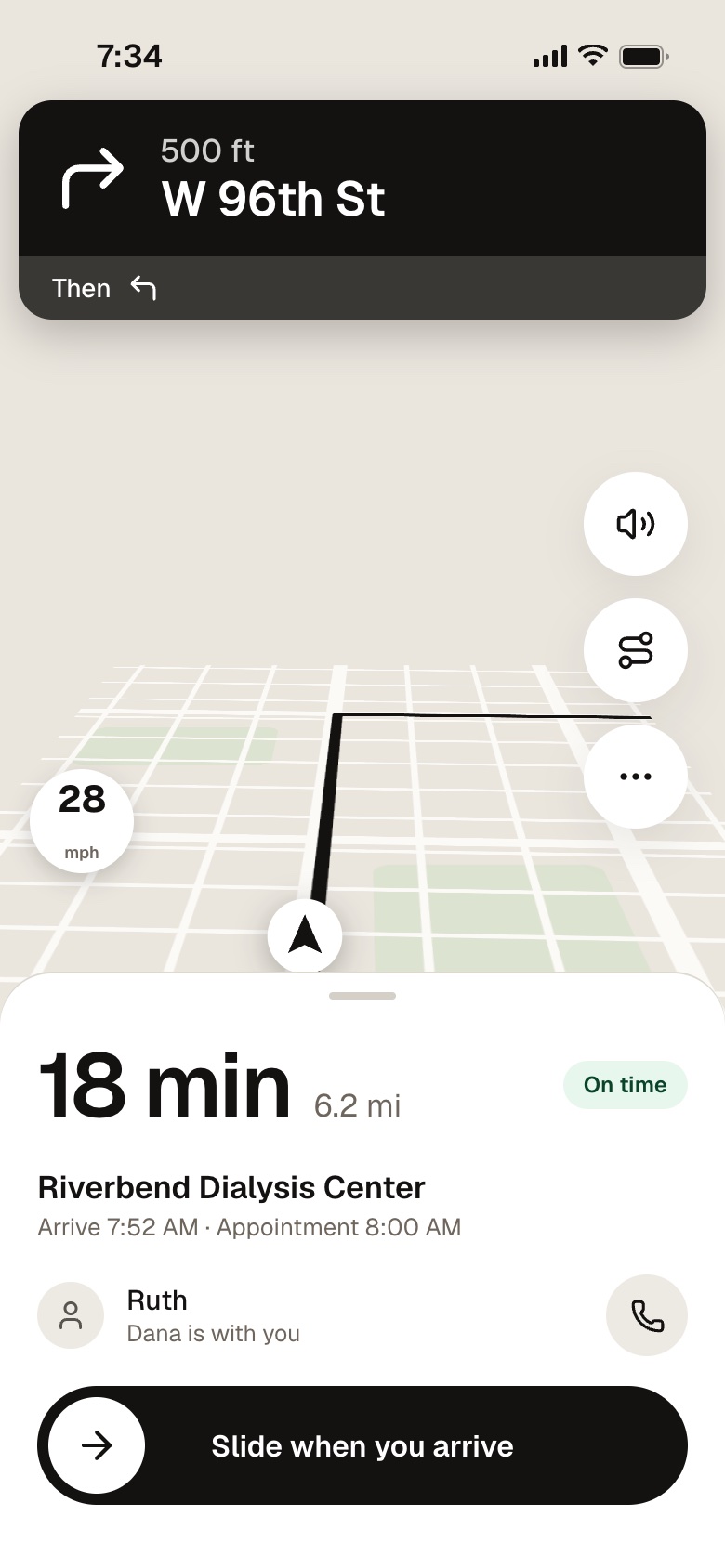
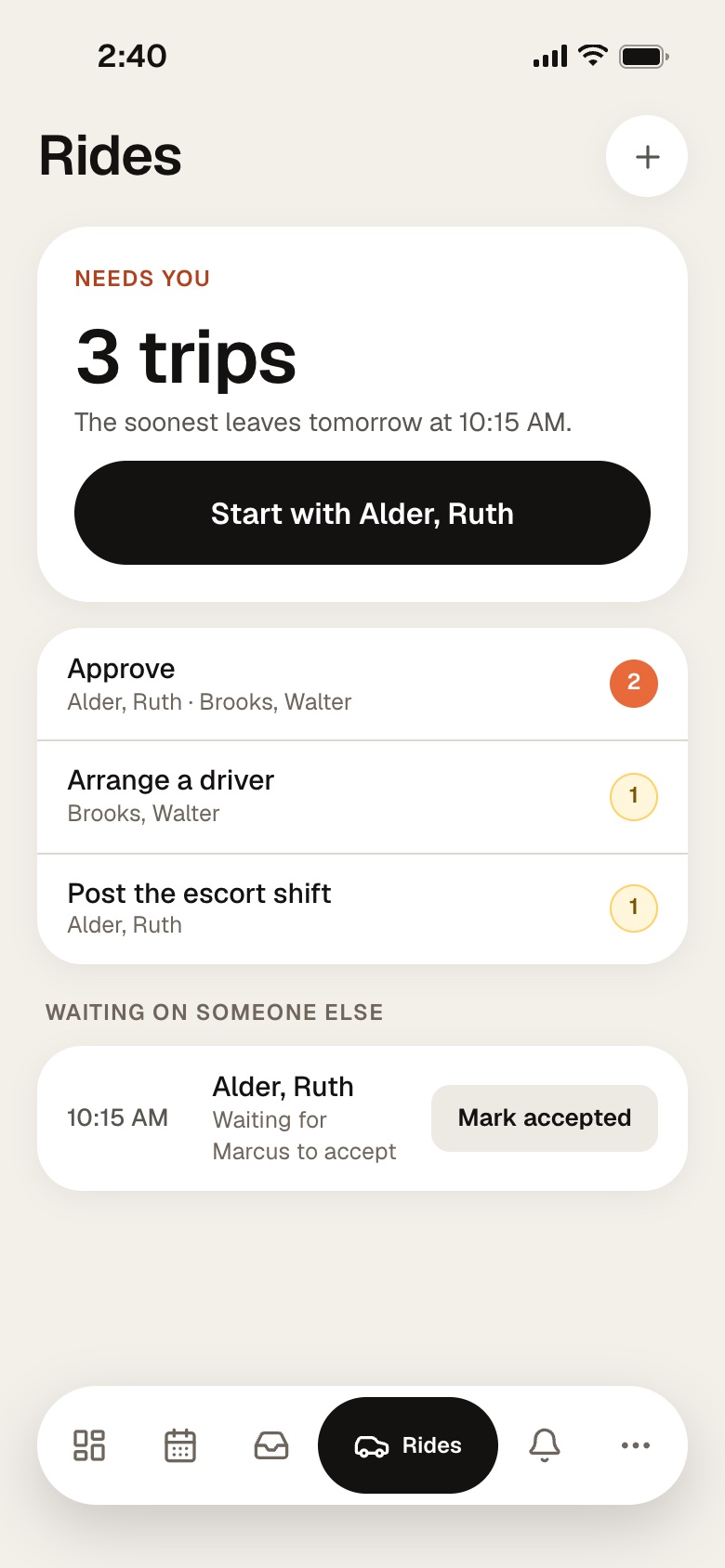
Nurses request the ride. The desk approves it and books a driver and escort. The driver follows the trip on their phone, step by step.
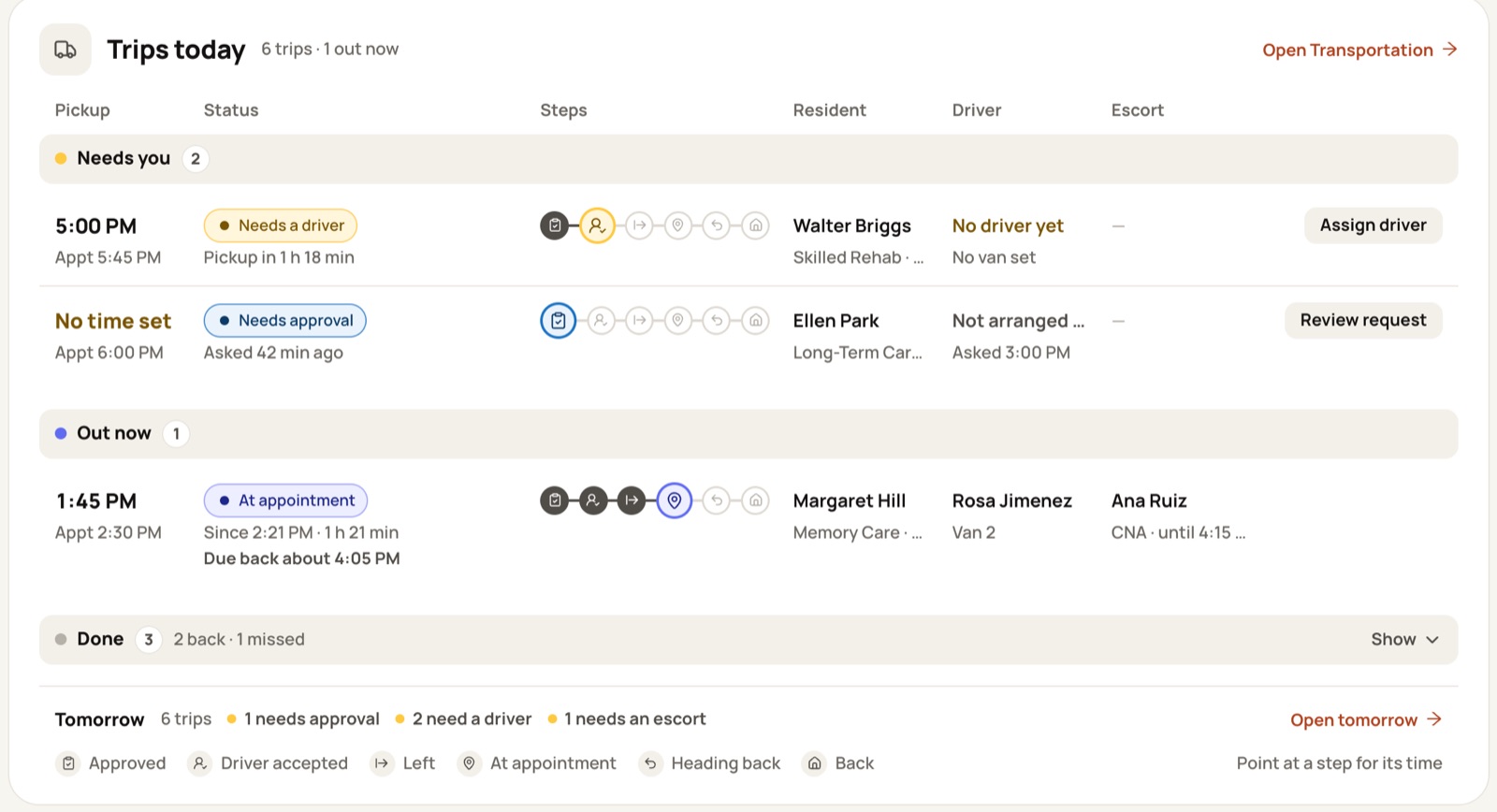
The console your office already knows, out of the browser tabs and one click away all shift.
 Syntrah
Skilled nursing and assisted living run on different rules and different rhythms. Syntrah is built for both, and for the operators who run more than one building.
 Your building
Live boards for every unit, credential checks before every offer, and call-off coverage that runs before report.
Explore skilled nursing Your building
Caregiver and med-tech coverage from the morning med pass to overnight rounds - with every certification checked first.
Explore assisted living Your portfolio
Coverage, credentials and overtime across every building - with open shifts offered to your other facilities in the order you set.
Explore multi-buildingEvery building is different. Put in your own numbers - they never leave this browser.
“I saw a gap in the software market. I built it because I lived the scheduling chaos firsthand. I know the gut-wrenching stress of waiting by the door, wondering if an aide is going to show up.”
Syntrah keeps every shift covered. When someone calls off, it offers the open seat to qualified, available staff in the order you set, tracks every reply, and escalates to a scheduler if no one takes it - with your live boards, credentials, timecards and requests in the same place.
Traditional tools record the schedule. Syntrah actively coordinates it - spotting the gap, asking the right people in the right order, and keeping staff and leadership in sync automatically.
Scheduling, call-offs, credentials, timecards and requests share one record, so a change in one place shows up everywhere it matters - without re-entry.
The call-off lands in Syntrah the moment it’s sent. The open seat is offered to staff who hold the right role and credentials, have had enough rest, and have room in their week - and the first to accept gets it, with every message and reply logged.
The offer widens on the order you set: part-time and as-needed staff with room in their week first, then everyone eligible at your facility, then your other facilities. If it’s still open, it’s marked uncovered and escalated to a scheduler.
Skilled nursing facilities, assisted living and memory care communities, and the operators who run more than one building - administrators, nurse leaders, and staffing coordinators alike.
Yes. The same mobile app your caregivers use has a Manage mode for charge nurses, schedulers and administrators: the day’s coverage, what needs attention, and the call-offs still open, wherever they are.
Yes. Syntrah for Mac and Windows is the same console in a window of its own, with the same sign-in. It sits in the Dock or taskbar, can open at login, and is always the current version.
No. Start with a workbook: fill in Syntrah’s onboarding template with your staff, caregivers and residents and upload it. Every row is checked first, and only the rows that are ready are imported. Then build and publish each unit’s rotation, and invite your caregivers by email.
Syntrah runs your scheduling, call-offs and credential checks, and works alongside the systems you already have - your payroll stays your official timecard.
Yes. The order offers go out across your facilities, punch-location policies, and approval rules can all be set to match how your buildings run.
Syntrah is built with HIPAA-aligned controls, role-based access, and encryption in transit and at rest.
Let’s show you what’s possible. Tell us a little about your building.
Request received
Thank you. A Syntrah specialist will reach out to set up a demo built around your building.
No pressure. No commitment. Just a conversation about your building.
Best time to talk
Times in your time zone
Faded times fall near a shift change.